Mastering AI Context Windows: Designing a Handoff Skill for Multi-Agent Workflows

Writer
Quiz available
Take a quick quiz for this article.

When working deeply with AI coding agents, you inevitably start noticing patterns in your own behavior. You start to see the seams in how LLMs handle memory, and you realize that efficiently managing an agent’s context window is the defining factor between shipping quality code and generating unusable slop.
Recently, I packaged one of my most frequent coding instincts into a dedicated agent skill. It’s incredibly simple in concept but fundamentally changes the architecture of an AI pairing session. I call it the Handoff Skill.
Here is a deep dive into why this skill exists, the limitations of native context-management tools, and how you can use the “handoff” pattern to orchestrate DIY sub-agents for complex engineering tasks.
The Problem: The “Smart Zone” vs. The “Dumb Zone”
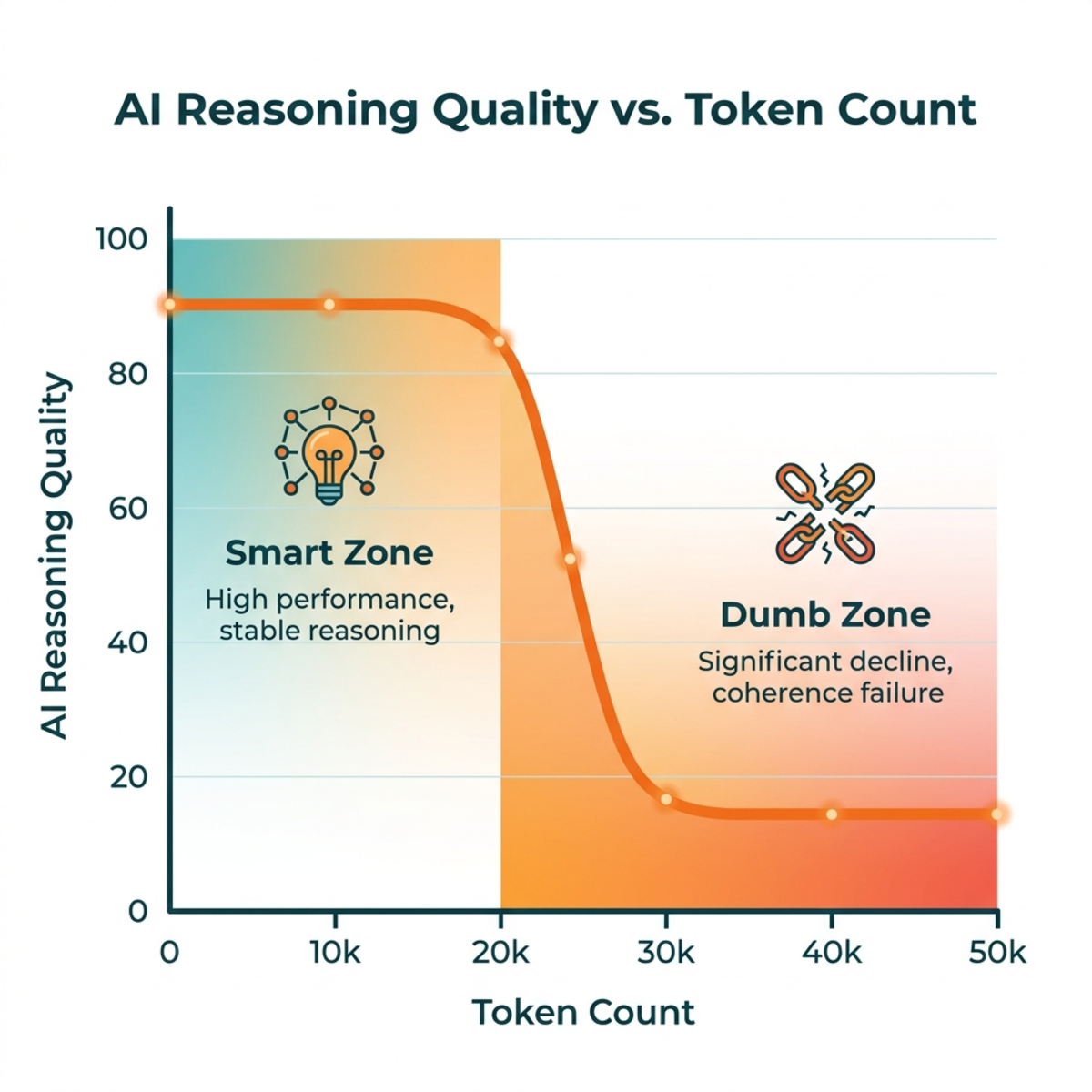
Modern LLM harnesses often boast massive context windows—sometimes up to 1 million tokens. But treating that entire window as equally capable is a trap. In reality, large context windows are divided into two distinct areas:
- The Smart Zone: At the beginning of a session, token counts are low. The attention mechanism of the transformer model isn’t strained, meaning the agent’s focus is sharp, reasoning is highly logical, and outputs are accurate.
- The Dumb Zone: As the agent executes tool calls, reads files, and converses, the context window fills up. The attention relationships become diffuse. For complex reasoning tasks, you will likely hit the “Dumb Zone” around the 120k token mark. Beyond this, the agent becomes progressively more forgetful and prone to logical errors.
To do serious engineering, you have to budget your tokens efficiently and escape the Dumb Zone before it ruins your session.
Why Native “Compaction” Isn’t Always Enough
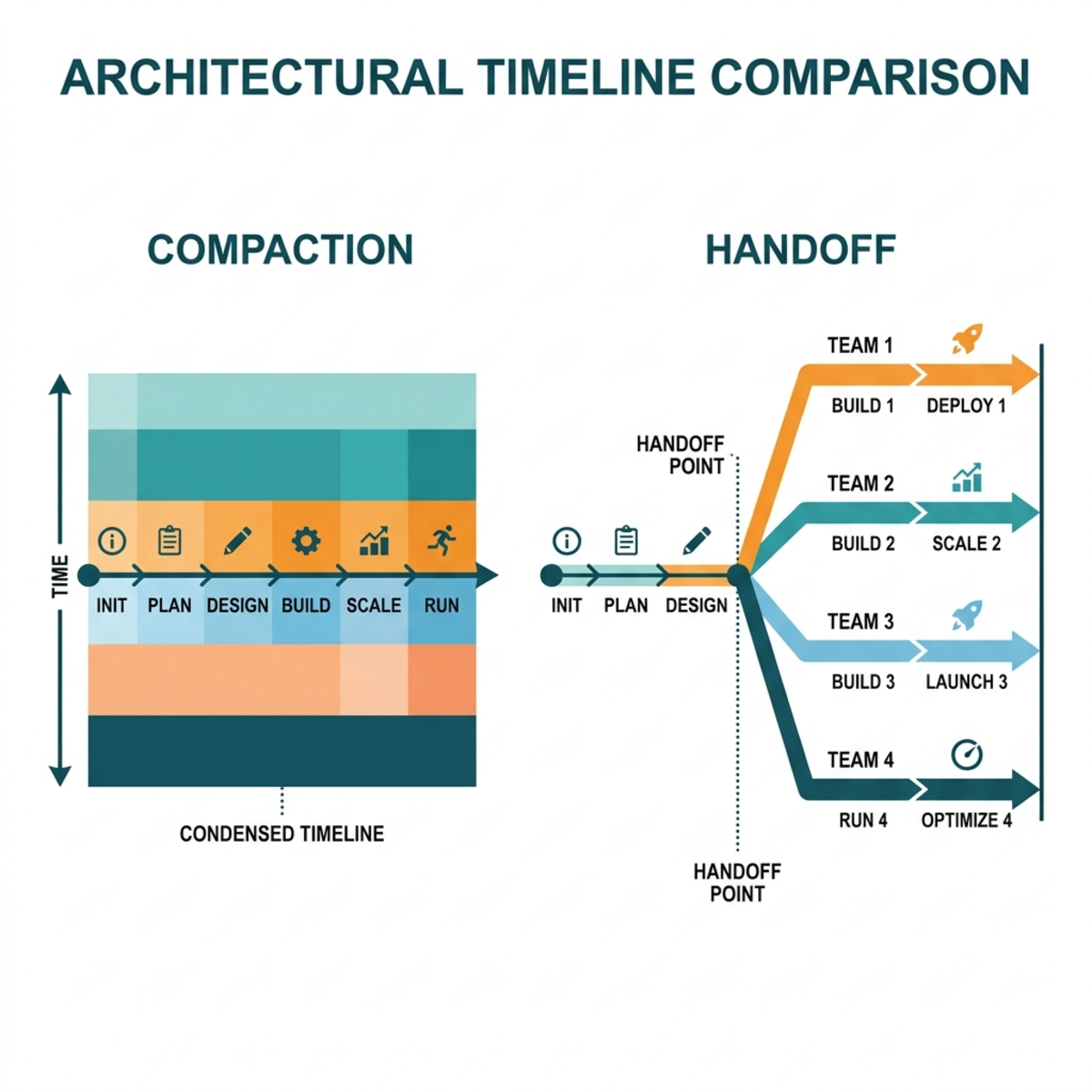
Most agent harnesses have a built-in solution for context bloat called Compact (or an auto-compact buffer).
Compaction summarizes the existing session—capturing referenced files, the general tone, and key decisions—and uses that summary to bootstrap a new session. This creates a sort of sedimentary layer of past context. It is a fantastic tool if you are barrel-rolling through a single, stubborn debugging problem and need to save your state without hitting a context wall.
The limitation of Compaction: It forces you down a single, linear path.
Imagine you are deep in a feature planning session and spot a detached refactoring opportunity. If you pursue it in your current session, you dilute your context and accelerate toward the Dumb Zone. If you compact the session to focus on the refactor, you clobber your original planning progress.
You need a way to branch out.
Enter the “Handoff” Pattern
The Handoff skill is designed to solve this branching problem. It instructs the active agent to:
“Write a handoff document summarizing the current conversation so a fresh agent can continue the work. Save it to the temporary directory…”
Instead of clobbering your state, you compress the relevant slice of your current context into an isolated handoff.md file. You then pass this file to a completely fresh agent session. The two sessions can now run independently.
High-Value Workflows for Agent Handoffs
This simple markdown generation unlocks several incredibly powerful engineering patterns:
1. The “DIY Sub-Agent” for Prototyping
When you are doing high-level architecture or “grilling” (Q&A planning) with an agent, you will often encounter known unknowns—complex UI interactions or unfamiliar SDK integrations.
Instead of guessing, use the handoff skill to spin up a prototyping session.
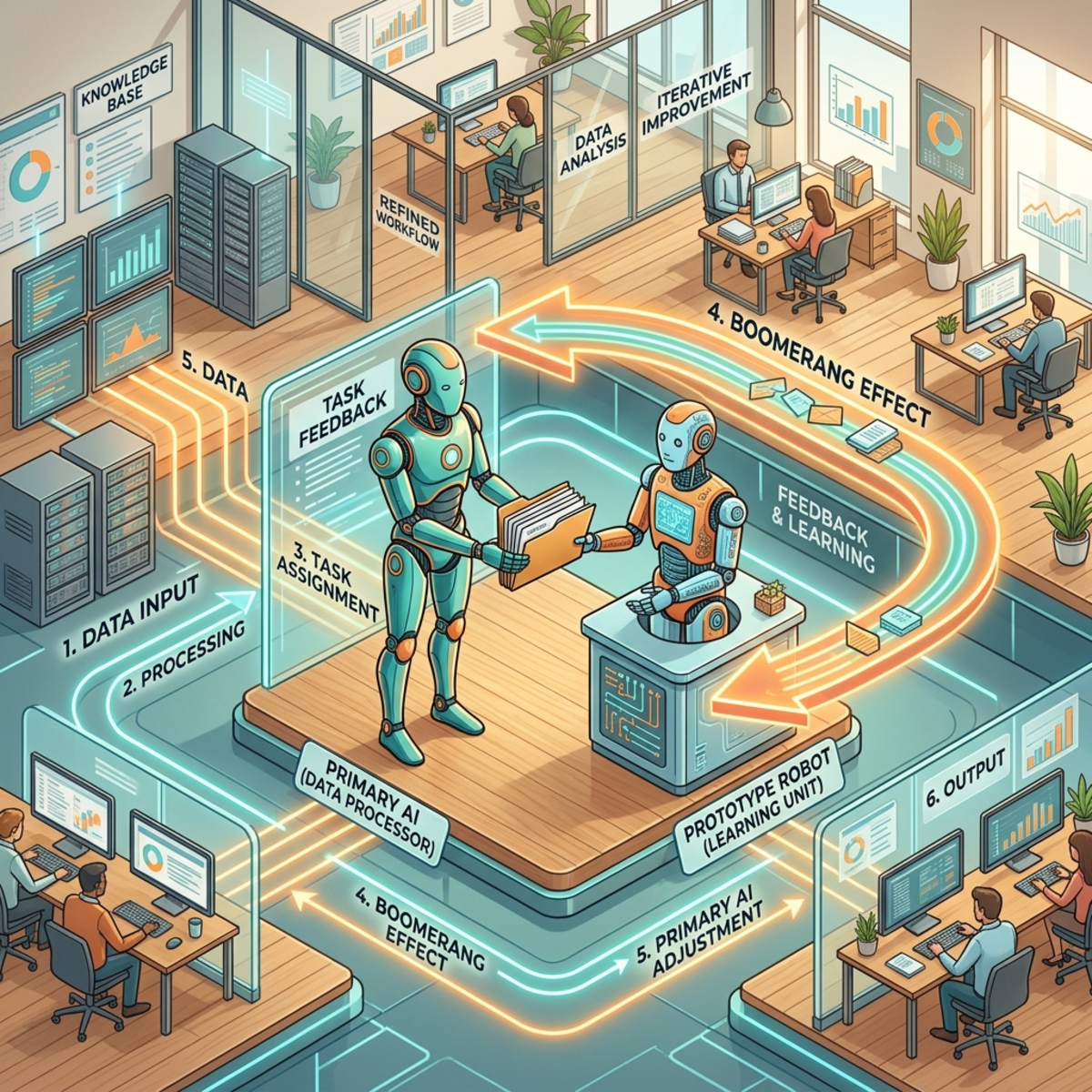
- Step 1: Hand off the specific unknown to a fresh agent.
- Step 2: The fresh agent prototypes the difficult logic (often burning through 150k+ tokens in the process).
- Step 3: Have the prototyping agent write its own handoff document capturing its technical learnings.
- Step 4: Pass that new document back to your original planning session to finalize the architecture.
This process is sometimes called the Boomerang Effect—where the prototype session generates its own handoff document to pass the learnings back to the original planner session.
2. Sharpening the Current Session (Grilling Sessions)
By explicitly stating, “Let’s hand off that task to a separate agent,” you establish hard boundaries. Telling the current agent what is out of scope prevents it from hallucinating future steps and keeps its attention strictly on the immediate goal. This is especially useful during “grilling” sessions where you explicitly push out-of-scope tasks to another agent, sharpening the current session’s focus.
3. Cross-Harness & Adversarial Collaboration
Because the handoff artifact is just standard Markdown, you aren’t locked into a single ecosystem. You can start a heavy architectural session in Claude Code, export the handoff document, and pass it directly into the Codex CLI or Copilot for execution or adversarial review.
Under the Hood: Designing the Handoff Prompt (Skill Architecture Rules)
If you are writing your own handoff skill or custom system instructions, here are the vital rules that make the generated document actually useful:
- Treat User Arguments as the North Star: The skill must use the user’s handoff prompt arguments (e.g., “Hand off the window communication logic”) as the strict focal point for tailoring the generated document. An agent cannot write a good handoff document if it doesn’t know what the next session is supposed to accomplish.
- Save to the OS Temporary Directory: Handoff files are highly ephemeral. Do not save them to the current workspace. Pushing them to the OS temp directory ensures they don’t cause repo rot by leaving outdated documentation.
- Inject “Suggested Skills”: Have the agent recommend which tools the next session should invoke (e.g.,
diagnose,grill_with_docs). This allows you to drop the document into a fresh agent and have it immediately know its flavor and capabilities. - DRY Principle (Do Not Repeat Yourself): The handoff document should act as a router. Instruct the agent to use pointers instead of duplicating content already housed in GitHub issues or other markdown files.
- Strict Redaction: Explicitly command the agent to strip out all API keys, passwords, and Personally Identifiable Information (PII) before generating the file.
By treating context as a modular, disposable resource rather than a linear timeline, you can orchestrate highly complex workflows without ever slipping into the LLM Dumb Zone.
Read next