Orchestrating Human-in-the-Loop Guardrails: Implementing Multi-Stage Approvals in Agentic Workflows

Writer
Quiz available
Take a quick quiz for this article.

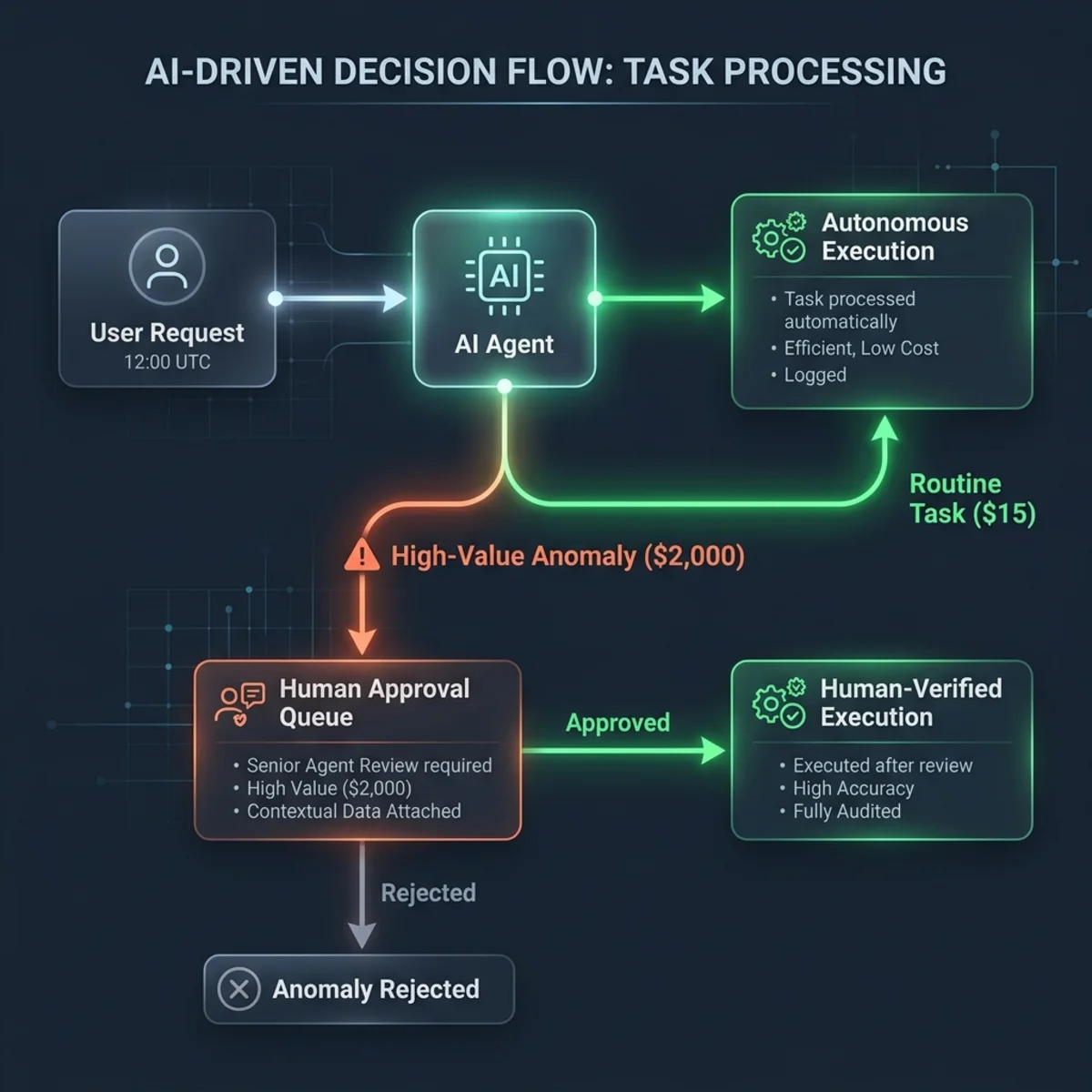
When designing autonomous agents for enterprise environments, giving the AI the ability to string together actions (A to B to C) is incredibly powerful. However, true enterprise readiness requires guardrails. What happens when an agent designed to process 5,000 daily orders suddenly receives a request to process 1 million?
Blind autonomy in edge cases can consume massive resources, incur severe financial costs, and break downstream systems. This is where Human-in-the-Loop (HITL) architecture becomes critical.
In this post, we will dive deep into implementing multi-stage approval processes within your agentic workflows, ensuring your AI operates with the right balance of autonomy and human oversight.
Why Multi-Stage HITL?
HITL is essential when an agent requires clarification, additional context, or explicit authorization to proceed before an agent proceeds with an autonomous action. By injecting a multi-stage approval flow, you protect your infrastructure from outliers and errors (e.g., processing 1 million orders vs. 5,000) to save resources, effort, and money.
Common Enterprise Use Cases:
- Verifying procurement orders.
- Validating financial reports.
- Confirming project status.
- Escalating high-priority cases.
- Gathering human-only information.
Core Capabilities of Multi-Stage Approvals
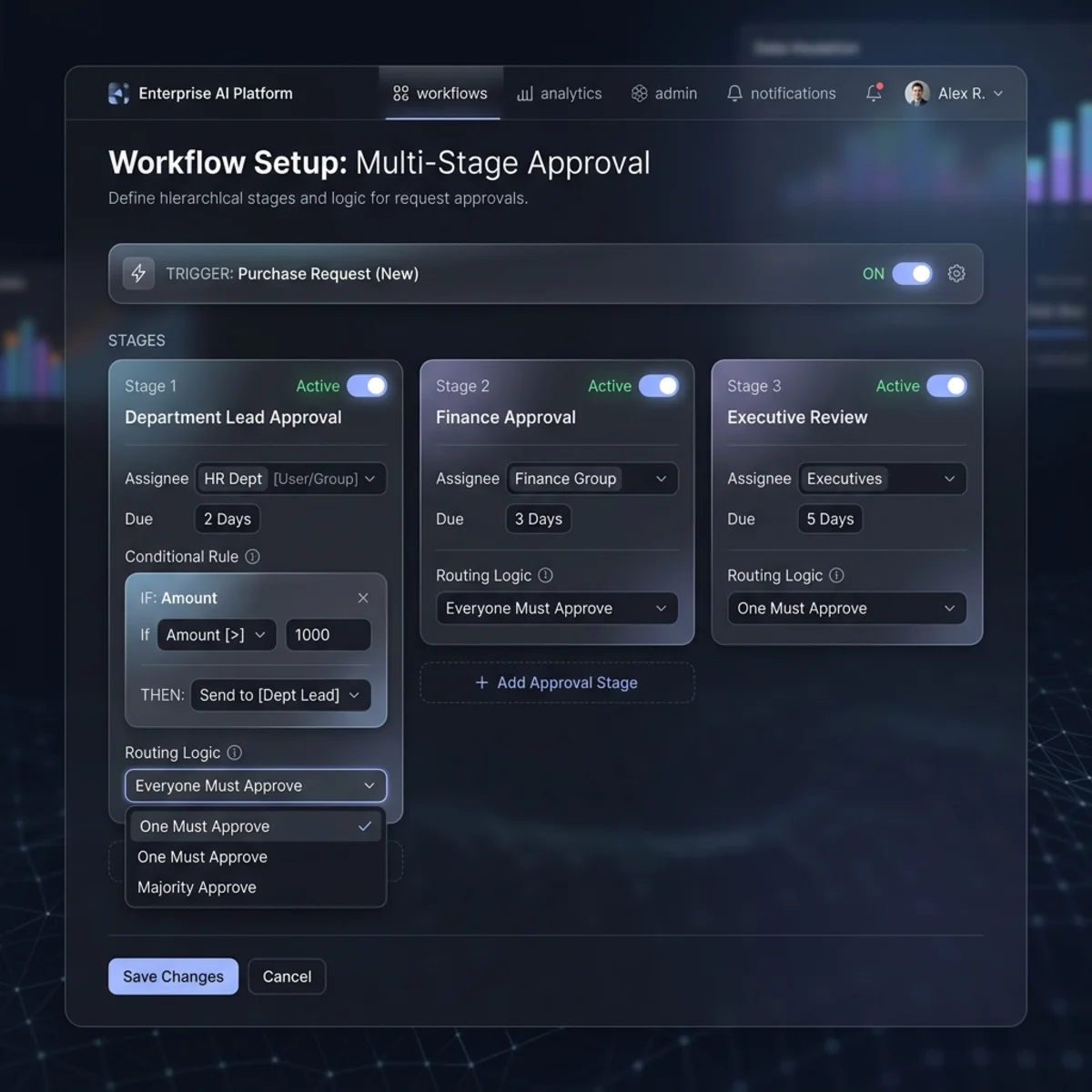
Modern agent builder interfaces allow you to design complex routing logic without writing custom middleware. The core features support multiple configurations, including numerous approvers, stages, and conditions:
- Flexible Routing Logic: Choose between “First to respond” (workflow continues after one person acts) and “Everyone must approve” (workflow pauses until all approvers respond).
- Manual vs. AI Stages:
- Manual Stage: Explicitly defined routing and assignees.
- AI Stage: AI uses instructions to determine decisions (e.g., “reject if price > $1,000”, “approve if bill is attached”) and defines the next steps.
- Condition Sets: Adding statements/groups to trigger stages based on variables (equal to, greater than, less than).
Implementation Guide: The “Big Transaction Refund”
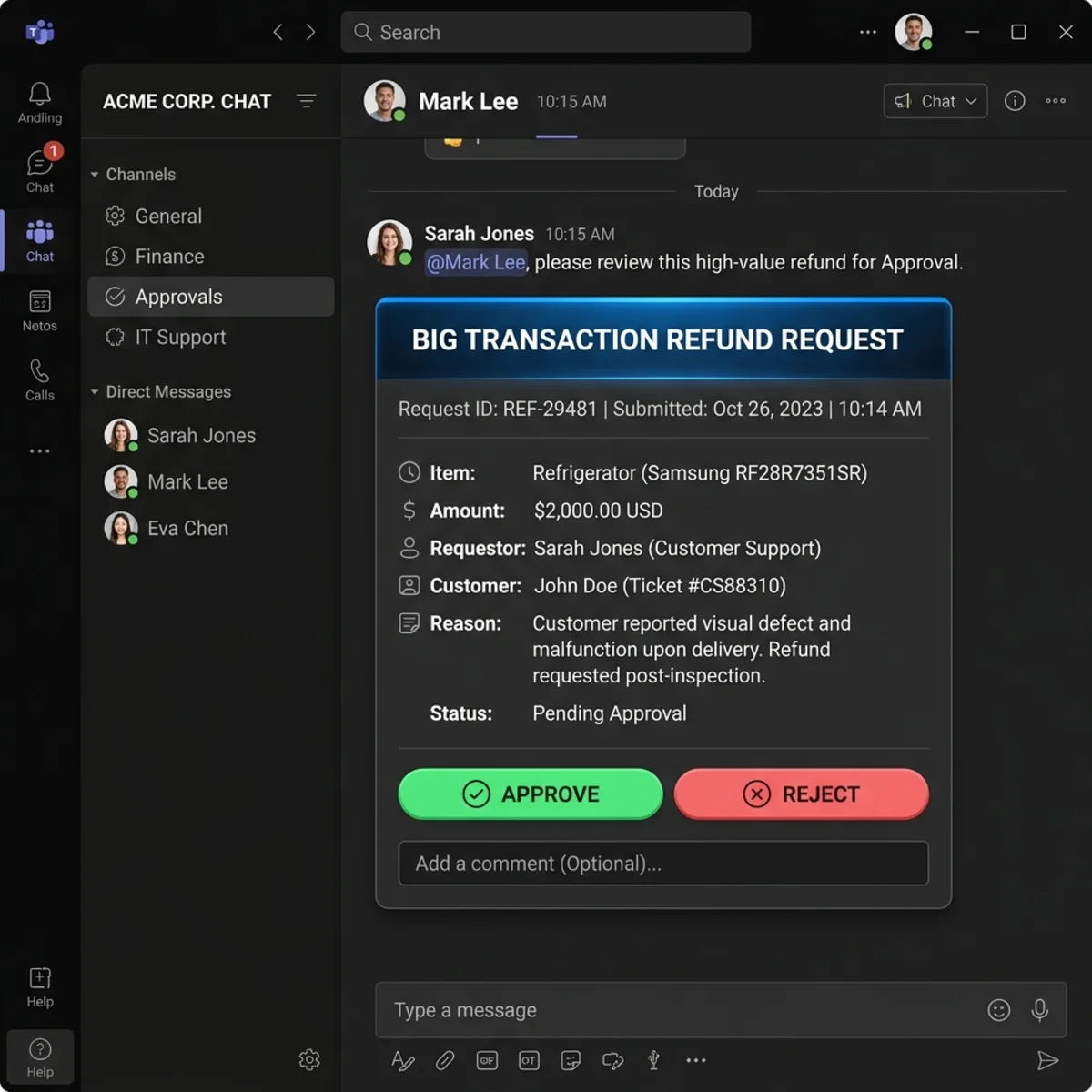
Let’s look at a practical scenario. A standard agent handles routine grocery refunds ($5–$15) autonomously. But if a user requests a refund for a high-value anomaly like a $2,000 refrigerator, we need a multi-approver HITL process.
Step 1: Establish the Trigger and Context Gathering
- Navigate to your agent’s Topics and create a new one (e.g., “Big Transaction Refund”).
- Define your trigger phrase (e.g., “big refund”).
- Prompt the user by messaging them for transaction details: “Please provide transaction details, including amount and item.”
- Capture this user input and transaction details into a variable (e.g.,
Var1) to pass into our approval flow.
Step 2: Build the Agent Flow
- Add a tool and select New Agent Flow, then rename it appropriately.
- In the designer, insert a new action and select Human in the Loop -> Run a multi-stage approval. (Note: This action is cancellable and pauses the workflow until completion).
- Click Set up the approval process and create a Manual Stage (e.g., “Stage A”).
Step 3: Configure the Approval Stage
- Select Type: Set the routing logic to “Everyone must approve”.
- Assignees: Assign multiple users (e.g., Girish, Alex).
- Context Injection: Dynamically pass context into the approval card. Include the customer name, URL, and item description.
- Notification Settings: Enable email notifications and allow the reassignment feature so an approver can delegate the task.
- Save the stage.
Step 4: Map the Outputs
Once the approval completes, the flow generates rich metadata. You need to map these workflow results back to your agent using variables to dictate the next steps.
- Add output variables to your flow.
- Select the Stage Outcome and Final Outcome.
Pro Tip: The payload contains extensive metadata, including Approval IDs, completion dates, and even “Rationales from AI stages.” For this standard flow, capturing the final outcome is sufficient.
- Publish the flow.
Step 5: Finalize the Orchestration
- Return to your main Topic.
- Add the newly published flow as a tool.
- Use the returned output variables to send a final status message to the user: “Based on the approval status, your request is: [Final Outcome]”.
Testing & Troubleshooting Tips
When testing and deploying HITL flows, keep these technical caveats in mind:
- The Connection Manager is Mandatory: Workflows will fail/complain if the connection to the HITL action isn’t established first. Ensure you open the Connection Manager and authenticate/establish the connection.
- Asynchronous Pausing: The agent state remains “processing” while waiting for “Everyone must approve” conditions to be met.
- Handling Timeout Errors: Flows can time out if approvers take longer than 2 minutes to respond during a live synchronous test.
- Flow Optimization: To handle timeouts and scale, use the flow’s edit settings to adjust execution parameters.
- Look into Flow Capacity (allows a higher volume of actions) and Express Mode.
Note on Express Mode: While it optimizes for rapid execution, it limits action counts and payload content size. Use it strategically depending on your architecture requirements.
By effectively layering multi-stage approvals into your agents, you transition them from simple chatbots into robust, reliable enterprise automation engines.
Read next