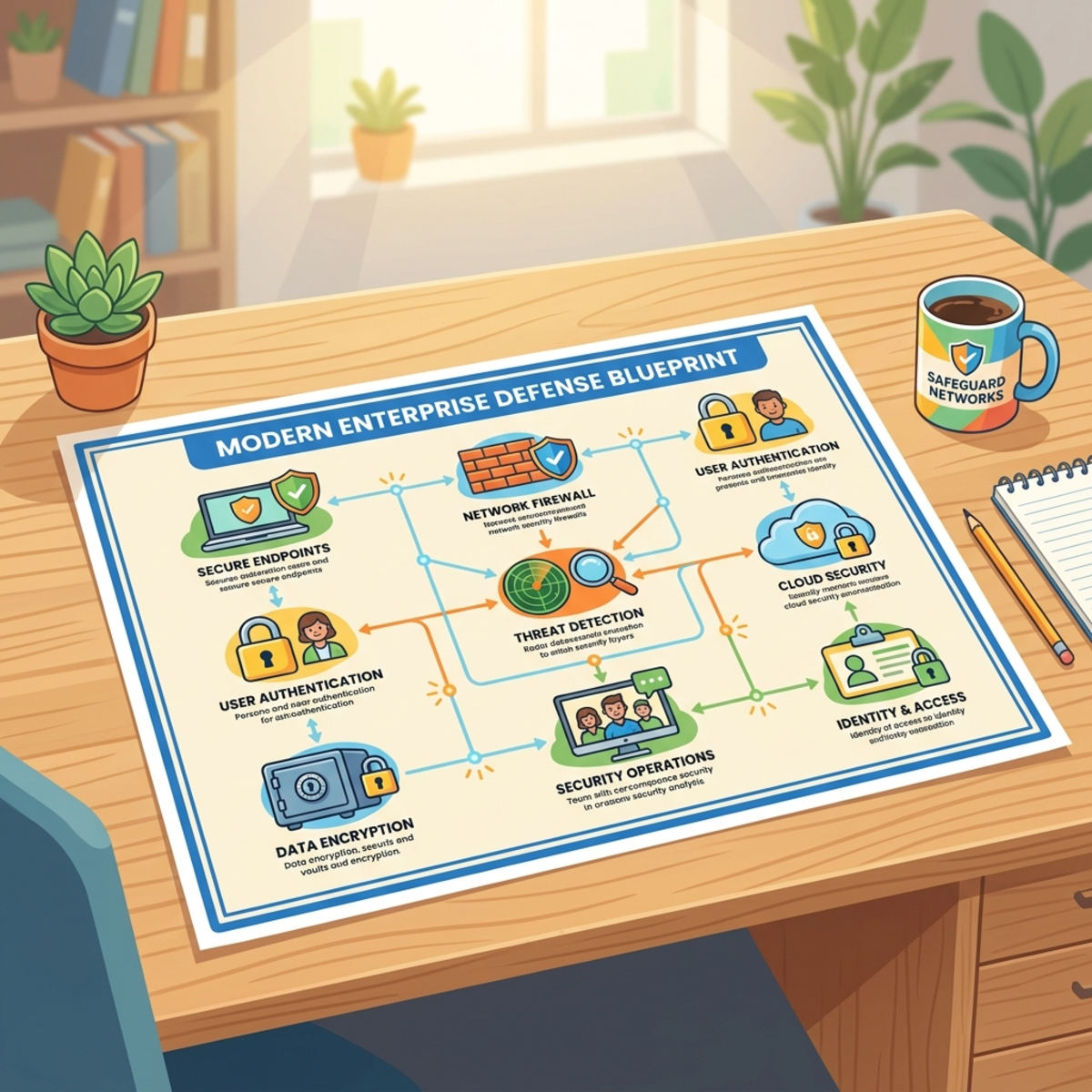
Modern Identity: Cost, Control, and OpenID Connect

Writer

Modern Identity: From Basic Auth to OpenID Connect
Identity is no longer just a developer concern. It is now one of the most important cost, risk, and governance control planes in the enterprise.
If you are an IT leader, FinOps practitioner, tenant administrator, or security owner, modern identity decisions show up in three places very quickly:
- Risk: Can stolen credentials or tokens be replayed?
- Cost: Are you paying for the right identity controls, or buying broad licenses before you know who actually needs them?
- Operational control: Can you roll out policies safely without locking out executives, frontline workers, service accounts, or business-critical apps?
The mistake I see often is that identity gets discussed as a pile of technical acronyms: JWT, OAuth, OIDC, SAML, MFA, refresh tokens, bearer tokens, scopes, claims, cookies, sessions. That is the wrong mental model.
A better model is this:
Identity is the enterprise airport. Authentication checks the passport. Authorization checks the boarding pass. Tokens are the temporary travel documents. Conditional Access is the border officer. Governance is the airport operating model.

Once you see it that way, the decisions become much clearer.
Executive takeaways
| Decision area | Rule of thumb | Why it matters |
|---|---|---|
| Basic authentication | Treat it as legacy debt, not a convenience feature | It sends username and password credentials with requests and does not align well with modern MFA and risk-based controls. |
| OAuth 2.0 | Use it for delegated authorization, not as proof of user identity | OAuth answers: “Can this app access this resource?” It does not, by itself, prove who the user is. |
| OpenID Connect | Use it as the modern sign-in pattern for new apps | OIDC adds an identity layer and ID token on top of OAuth 2.0. |
| SAML | Keep it for existing enterprise SaaS and legacy web apps where appropriate | SAML remains common in enterprise SSO, especially for gallery and older applications. |
| JWTs | Treat them as signed envelopes, not magic security | JWT is a token format. Governance still depends on token lifetime, validation, storage, and revocation strategy. |
| Conditional Access | Roll out in report-only mode first | You need impact data before enforcement. Identity outages are business outages. |
| Licensing | Map controls to user populations before buying broadly | Many organizations already own Entra ID P1 or P2 through Microsoft 365 bundles. Avoid duplicate or oversized purchases. |
1. The mental model: passport, boarding pass, and building access
Identity gets confusing because people mix up three different layers:
| Layer | Business analogy | Technical concept | Question it answers |
|---|---|---|---|
| Identity proof | Passport check | Authentication, or AuthN | Who are you? |
| Access permission | Boarding pass | Authorization, or AuthZ | What are you allowed to do? |
| Session continuity | Temporary badge | Token or cookie | How do we avoid asking you to prove yourself on every click? |
A user signing in to Microsoft Entra ID is like presenting a passport at airport security. The system validates who they are. But that does not mean they can enter every lounge, board every flight, or access every restricted area.
That second decision is authorization. It depends on role, group, scope, policy, device state, network, risk, and application assignment.
In HTTP terms, this is why two errors matter:
| Result | Meaning | Plain English |
|---|---|---|
401 Unauthorized | Authentication failed or is missing | ”I do not know who you are.” |
403 Forbidden | Authentication succeeded, but access is denied | ”I know who you are, but you cannot do that.” |
This distinction is not academic. It affects troubleshooting, user experience, helpdesk volume, and governance dashboards.
2. The four identity misconceptions that create real business risk
Let us clear the fog before going deeper.
Misconception 1: “JWT is an authentication method”
No. JWT is a token format.
A JWT is a structured, signed envelope that can carry claims such as issuer, audience, subject, expiry, scopes, and roles. It can be used in authentication or authorization flows, but the JWT itself is not the method.
Think of it like a boarding pass format. A QR code boarding pass is useful, but the QR code is not the airline, the airport, or the security process.
Misconception 2: “Bearer token means JWT”
No. Bearer describes how the token is used. JWT describes how it is formatted.
A bearer token means: whoever presents the token can use it, subject to validation. That token might be a JWT, or it might be an opaque string that only the issuing platform can interpret.
For Microsoft identity platform access tokens, the safest governance stance is simple:
Client applications should treat access tokens as opaque. The API that receives the token is responsible for validating it.
This matters because over-engineered clients often parse access tokens and build business logic on claims they do not own. That creates brittle apps and governance drift.
Misconception 3: “OAuth 2.0 signs users in”
Not exactly. OAuth 2.0 is primarily an authorization framework.
OAuth is the delegated access model. It is how an app can ask for permission to call an API on behalf of a user or workload without directly handling the user password.
OAuth is the key to a room. It is not the identity card.
Misconception 4: “SSO is a protocol”
No. Single Sign-On is a user experience pattern.
SSO means users sign in once and get seamless access across many applications. Under the hood, that experience may be implemented using OpenID Connect, SAML, Kerberos, certificate-based auth, or other platform-specific mechanisms.
For administrators, this is important because “we need SSO” is not a complete requirement. The next question is:
SSO for what kind of app, owned by whom, using which protocol, with which governance controls?
3. Legacy authentication is technical debt with a security interest rate
Basic authentication is simple, which is why it survived for so long. A client sends a username and password, typically encoded in Base64, with requests.
That simplicity is the problem.
Base64 is not encryption. It is reversible encoding. Transport security such as TLS helps protect data in transit, but Basic authentication still creates a governance nightmare because passwords are repeatedly used, often stored in apps or devices, and difficult to protect with modern controls.
Microsoft has already disabled Basic authentication in Exchange Online for many protocols, and SMTP AUTH Basic authentication has been on a staged retirement path. The exact timelines and exceptions can change, but the strategic direction is clear: move away from password-based app access and toward token-based modern authentication.
Legacy vs. modern identity patterns
| Pattern | How it works | Governance problem | Better direction |
|---|---|---|---|
| Basic authentication | Sends username and password with requests | Hard to enforce MFA, risk evaluation, and granular policy controls | OAuth 2.0 or workload identity patterns |
| Long-lived API keys | App presents a static secret | Keys are often over-permissioned, copied, and forgotten | Short-lived tokens, managed identities, certificates, scoped permissions |
| Session cookies only | Server stores session state and browser sends cookie | Works well for web apps, but can become hard to scale across distributed APIs | Use where appropriate, but govern cookie settings and session controls |
| Modern token-based access | App receives time-bound tokens from an identity provider | Requires careful token storage, validation, and lifetime design | Standardize on Entra ID, OIDC, OAuth, Conditional Access, and lifecycle governance |
Directional cost intuition: the hidden cost of legacy auth
This is a planning aid, not a quote.
A legacy SMTP device, scanner, or line-of-business app might look “free” because it already works. But the real costs accumulate elsewhere:
| Cost bucket | Typical hidden cost driver | Directional planning impact |
|---|---|---|
| Helpdesk | Password resets, lockouts, expired credentials | Even a few recurring incidents per month can outweigh the effort to modernize a small app. |
| Security operations | Investigating credential misuse or suspicious sign-ins | Legacy auth produces noisy and risky sign-in patterns. |
| Business continuity | App breaks during enforced deprecation or policy changes | Downtime cost is often far higher than remediation cost. |
| Licensing inefficiency | Buying advanced controls broadly without mapping need | Poor entitlement mapping can create avoidable per-user spend. |
The FinOps lesson: legacy auth rarely has a clean line item, but it still has a bill. It just shows up as risk, tickets, exceptions, and rushed projects.
4. Stateful vs. stateless identity: hotel ledger vs. signed badge
There are two major ways applications remember that a user has already signed in.
Stateful sessions: the hotel front desk ledger
In a stateful model, the server keeps a session record. The browser receives a cookie containing a session ID. Every request brings the cookie back, and the server checks the session store.

This is like a hotel. You show your ID at check-in, the hotel creates a record, and your room key points back to that record.
Strengths:
- Easy to revoke quickly.
- Good fit for traditional web apps.
- Server controls session state centrally.
Trade-offs:
- Every request may depend on a session store.
- Multi-region scale can become more complex.
- Cache or database performance becomes part of the identity architecture.
Stateless tokens: the signed conference badge
In a stateless model, the identity provider issues a signed token. The API validates the signature, issuer, audience, lifetime, and claims without looking up a session record on every call.
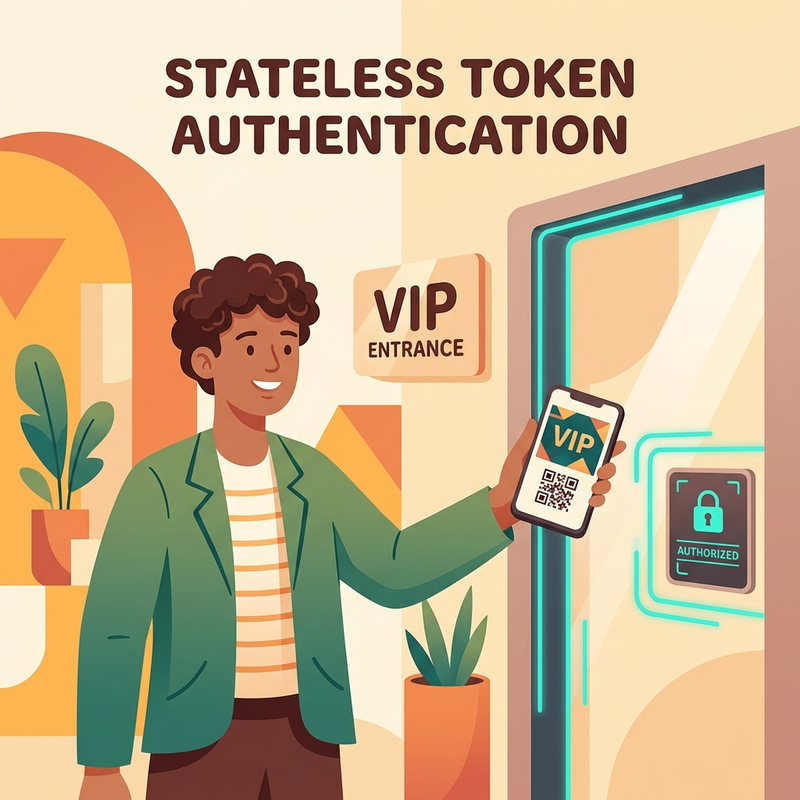
This is like a signed conference badge. If the badge is valid, not expired, and intended for this event, the door staff can make a decision without calling the registration desk every time.
Strengths:
- Scales well for distributed APIs and microservices.
- Reduces central lookup dependency.
- Works naturally with gateways and cloud-native architectures.
Trade-offs:
- Revocation is not instant unless the platform adds compensating controls.
- Token theft becomes a serious threat.
- Token lifetime and secure storage are governance decisions, not developer preferences.
Decision guide
| Scenario | Prefer | Why |
|---|---|---|
| Traditional server-rendered web app | Stateful session or hybrid approach | Simple server control and fast revocation. |
| Modern API used by mobile, web, and services | OAuth 2.0 access tokens | Standard pattern for API authorization. |
| Enterprise sign-in to a new custom app | OIDC with Microsoft Entra ID | Modern sign-in, ID token, SSO, and integration with Entra controls. |
| Legacy SaaS app that supports SAML only | SAML SSO with Entra enterprise application | Practical enterprise compatibility. |
| Azure-hosted workload calling Azure resources | Managed identity where possible | Avoids stored secrets and reduces credential rotation burden. |
5. Tokens: access, ID, and refresh tokens without the drama
Modern identity uses multiple token types because each token has a different job.
| Token type | Business analogy | Primary purpose | Governance note |
|---|---|---|---|
| Access token | Key to a specific room | Authorizes access to an API or resource | Should be validated by the resource/API, not treated as a user profile by the client. |
| ID token | Name badge | Proves authentication to the client application | Use for sign-in and user identity claims, not API authorization. |
| Refresh token | Renewal desk ticket | Gets new tokens without prompting the user every time | High-value target. Store and protect carefully. |
The key architectural move is this:
Short-lived access tokens reduce blast radius. Refresh tokens preserve user experience. Conditional Access and token protections reduce replay risk.
A practical production pattern looks like this:
- User signs in through the identity provider.
- Client receives tokens based on the app type and flow.
- Client calls APIs with access tokens.
- When access tokens expire, the app uses approved renewal mechanisms.
- Policies, risk, device state, and session controls determine whether renewal succeeds silently or requires user action.
What happens when a password changes?
Here is the uncomfortable truth: a password reset is not always an instant logout button.
Think of it like changing the lock at headquarters. New badges should not be issued with the old password, but badges already issued to users, apps, or browsers might continue working until they expire, are rechecked, or are rejected by a service that understands the revocation signal.
| Session artifact | Who controls it? | What usually happens after a password change or reset? |
|---|---|---|
| Access token | Microsoft Entra ID issues it; the API or resource validates it | It can continue working until it expires. In many Microsoft identity scenarios, the default access token lifetime is around one hour. |
| Refresh token | Microsoft identity platform | It can be revoked because of credential changes, user action, or admin action. The exact behavior depends on token type, client type, and where the password reset was performed. |
| Application session cookie | AppA or the SaaS application | Microsoft Entra ID cannot directly revoke a session cookie issued by the application. The app must expire it, revoke it, or send the user back to Entra ID for revalidation. |
| CAE-capable session | Microsoft Entra ID plus a supported resource provider | Supported services can reject previously issued tokens near real time after critical events such as password change/reset, account disablement, or explicit session revocation. |
So if a user is signed in to AppA and then an IT admin resets that user’s password, the user experience depends on how AppA is built:
- If AppA relies mainly on its own session cookie, the user might stay signed in until AppA’s cookie expires or AppA decides to re-check with Microsoft Entra ID.
- If AppA uses access tokens to call APIs, the user might keep working until the current access token expires. At renewal time, the refresh token may no longer be accepted, and the app should redirect the user to sign in again.
- If the target resource and client are CAE-capable, the resource can reject the token much sooner instead of waiting for normal token expiry.
What does CAE-capable mean?
CAE stands for Continuous Access Evaluation. A CAE-capable client/resource pair can participate in a near-real-time conversation with Microsoft Entra ID when important security conditions change.
The old token model is simple but blunt. CAE changes the model by instantly evaluating critical events and rejecting tokens early:
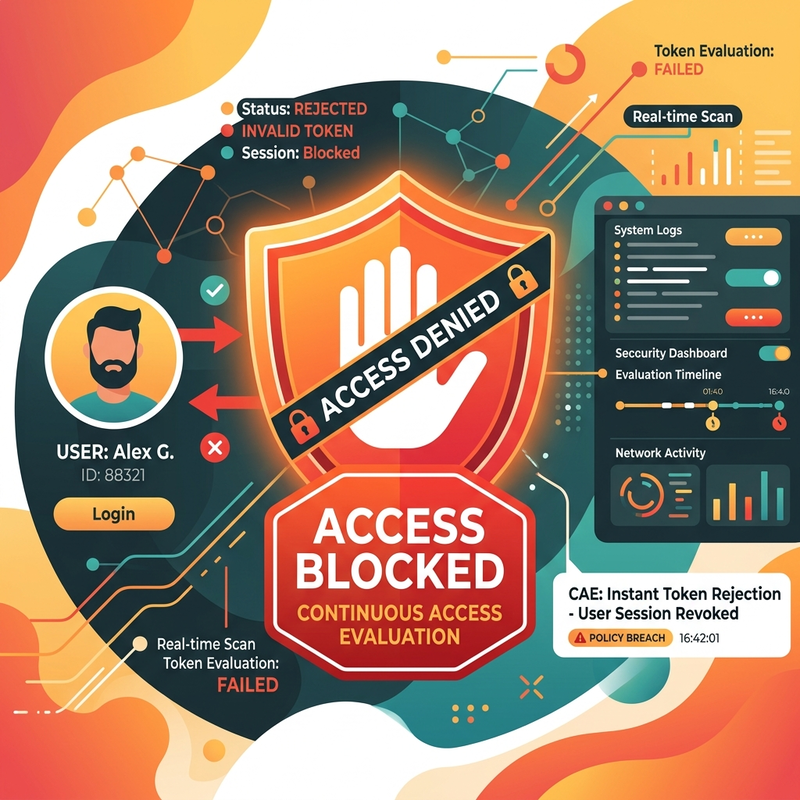
A CAE-capable experience requires more than just Microsoft Entra ID. The resource provider must understand CAE signals, and the client must understand the claims challenge that tells it to bypass its cached token and return to Microsoft Entra ID. Microsoft 365 services such as Exchange Online, SharePoint Online, and Teams are core examples where Microsoft has implemented CAE support, though exact support depends on the client and workload combination.
CAE is not magic universal logout for every application on the internet. It is a capability that works when the identity provider, resource provider, and client participate correctly.
How refresh tokens are revoked after an IT-triggered password reset
When IT resets a user’s password in Microsoft Entra admin center or Microsoft 365 admin center, Microsoft identity platform can invalidate existing refresh tokens for that user, depending on the token category. Microsoft’s refresh token revocation behavior distinguishes between password-based cookies, password-based tokens, non-password-based tokens, and confidential client tokens.
The practical tenant-admin view is this:
| Admin action | Practical effect |
|---|---|
| Reset password | Prevents future authentication with the old password and can invalidate refresh tokens depending on reset path and token type. |
| Revoke sessions | Explicitly invalidates refresh tokens for the selected user and forces supported clients/apps to obtain new tokens. |
| Disable account | Blocks new token issuance for the user. Existing access may still depend on token expiry, CAE support, and app session behavior. |
| Disable devices or wipe corporate data | Reduces residual access from managed endpoints, especially in compromise or termination scenarios. |
For high-risk events, do not rely on password reset alone. Use a response sequence:
- Reset the password.
- Revoke sessions for the user.
- Disable the account if access must stop immediately.
- Disable or wipe devices where appropriate.
- Confirm impact in sign-in logs and app-specific audit logs.
The offline_access confusion: why refresh tokens may still appear
This is one of the most confusing parts of Microsoft identity platform.
The offline_access scope means: the app can maintain access to data the user has already granted, even when the user is not actively using the app. In consent text, it appears as Maintain access to data you have given it access to.
That does not mean offline_access gives the app extra business permissions like reading mail, reading files, or writing calendars. It is not a data permission. It is a token continuity permission.
There are three different ideas people often mix together:
| Concept | What it means |
|---|---|
| Configured API permissions in the app registration | Static permissions shown and consented through the app registration experience. |
| Scopes requested at runtime | What the app actually asks for in the /authorize or /token request. |
| Tokens returned by Microsoft identity platform | What the platform issues based on flow, scopes, client type, consent, and policy. |
Microsoft documentation has an important nuance: if any delegated permission is granted, offline_access is implicitly granted. However, for requests made to the v2.0 endpoint, the app must explicitly request the offline_access scope to receive refresh tokens.
Why do many developers still see refresh-token behavior even when they did not manually type offline_access?
Because many Microsoft authentication libraries, especially MSAL-based patterns, add baseline OpenID Connect scopes such as openid, profile, and offline_access automatically for common sign-in/token flows. In other words, your code might not show offline_access, but the library request can still include it.
The governance takeaway is simple:
Do not judge refresh-token behavior only by what is listed in the app registration UI. Check what the app requests at runtime and what the authentication library adds for you.
For tenant administrators, this matters because refresh tokens extend session continuity. That is good for user experience and lower helpdesk volume, but it also means you need strong controls around Conditional Access, sign-in frequency, token protection where applicable, device compliance, session revocation, and app governance.
Strong rule of thumb
Do not design your security posture around “tokens expire eventually.” That is not enough.
Use layered controls:
- Short access token lifetime where applicable.
- Secure token storage based on client type.
- Conditional Access for users and workloads where supported.
- Phishing-resistant credentials for privileged and high-risk users.
- Device compliance and risk-based policies for sensitive applications.
- Monitoring of sign-in logs and token-related anomalies.
6. OAuth 2.0 and OIDC: the apartment key vs. identity card
OAuth 2.0 and OpenID Connect are often mentioned together, but they solve different problems.
OAuth 2.0: delegated authorization
OAuth is the authorization framework. It lets an application get permission to access a resource.
Example in the Microsoft ecosystem:
A reporting application needs to read data from Microsoft Graph. The user, administrator, or workload grants permissions. The app receives an access token intended for Microsoft Graph or a custom API. That token is about resource access.
OAuth answers:
Can this app access this resource with these permissions?
It does not fully answer:
OpenID Connect: the identity layer
OpenID Connect sits on top of OAuth 2.0 and adds sign-in semantics through the ID token.
OIDC answers:
Who signed in, who issued that identity assertion, and can the client trust it?
For new enterprise applications, this is usually the cleanest pattern:
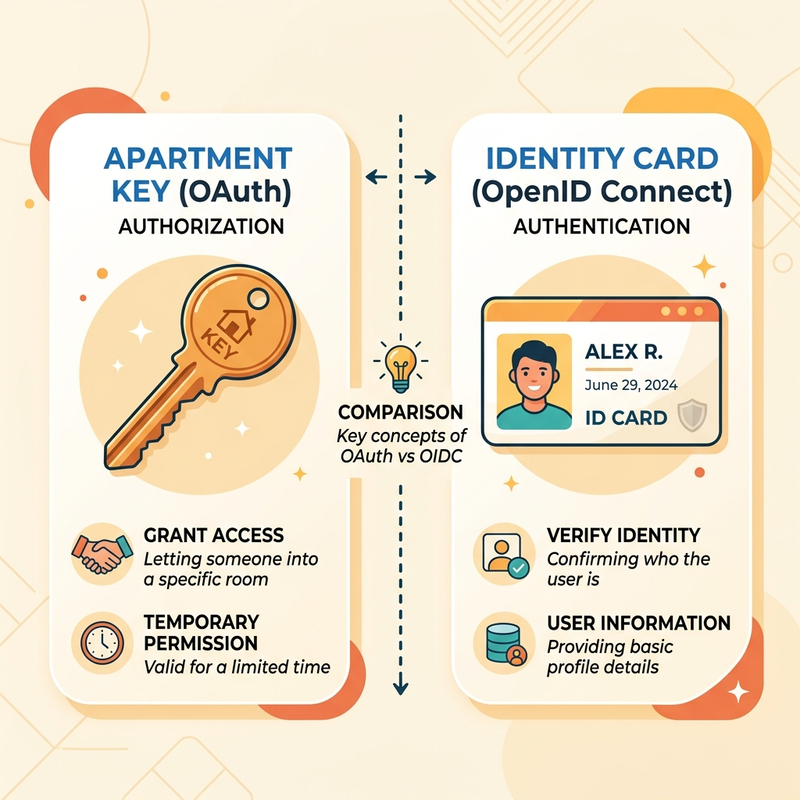
OAuth vs. OIDC, simplified
| Capability | OAuth 2.0 | OpenID Connect |
|---|---|---|
| Primary job | Delegated authorization | Authentication/sign-in plus identity claims |
| Main token | Access token | ID token, often alongside access token |
| Best for | API access | User sign-in to modern apps |
| Business analogy | Apartment key | Identity card |
| Microsoft platform example | App calling Microsoft Graph with delegated permissions | App using Microsoft Entra ID as sign-in provider |
Strategic guidance
If your team says, “We use OAuth for login,” slow down and ask:
- Are we using OIDC, or only OAuth?
- Are we validating ID tokens correctly?
- Are access tokens being used only by the intended API?
- Are scopes and app roles mapped to business permissions?
- Who approves consent and application permissions in the tenant?
That last question is where governance becomes real.
7. SSO is an experience. OIDC and SAML are implementation choices.
Single Sign-On means users authenticate once and access multiple applications without repeatedly entering credentials.
In Microsoft Entra ID, enterprise SSO commonly appears in two patterns:
| Protocol | Best fit | Format | Admin lens |
|---|---|---|---|
| OIDC | New custom web apps, mobile apps, modern SaaS integrations | JSON/JWT-based | Prefer for modern application development and API-centric architectures. |
| SAML 2.0 | Existing enterprise SaaS, older web apps, gallery applications | XML assertion-based | Still very relevant for enterprise app onboarding. |
SAML is not “bad” because it is older. It is proven, widely supported, and still the practical answer for many enterprise applications.
But for new applications, especially where APIs, mobile, single-page apps, and cloud-native flows matter, OIDC is usually the better default.
Practical SSO onboarding checklist
| Step | Question | Governance owner |
|---|---|---|
| 1 | Is this app already in the Microsoft Entra application gallery? | Tenant admin / app owner |
| 2 | Does the app support OIDC, SAML, or both? | App owner / identity admin |
| 3 | Who should be assigned access: all users, groups, or specific roles? | Business owner |
| 4 | What Conditional Access policies should apply? | Security / identity admin |
| 5 | Are claims, groups, and roles minimal and necessary? | App owner / identity admin |
| 6 | How will access be reviewed later? | Governance / compliance owner |
| 7 | What is the rollback plan if SSO breaks? | Operations owner |
The best SSO projects are not just “connect the app.” They are access lifecycle projects.
8. The governance levers that matter most
Modern identity gives administrators many controls. The trick is knowing which levers matter and in what order.
Lever 1: Standardize identity platform routing
Every app should not invent its own identity stack. That is how tenants become ungovernable.
Use a routing strategy:
| App type | Preferred identity route | Why |
|---|---|---|
| Microsoft 365 and Azure apps | Native Microsoft Entra ID | Built-in identity and policy integration. |
| New internal web apps | OIDC with Entra ID | Modern SSO and token standards. |
| Existing SaaS apps | Entra enterprise applications using gallery integration where possible | Faster onboarding and centralized lifecycle control. |
| Legacy SAML apps | SAML SSO through Entra ID | Centralizes access and policy even when the app is older. |
| Azure workloads | Managed identities where possible | Removes stored secrets from code and configuration. |
| Non-human automation | Workload identity patterns and least privilege | Service principals and managed identities need governance too. |
Lever 2: Use report-only mode before enforcement
Conditional Access is powerful. It is also one of the fastest ways to break access if deployed carelessly.
A safe rollout pattern:
- Define the business objective. Example: Require MFA for admin portals, block legacy authentication, or require compliant devices for finance apps.
- Start with a pilot group. Include IT, security, helpdesk, and at least one real business user group.
- Use report-only mode. Review who would be blocked or challenged before turning the policy on.
- Inspect sign-in logs and policy impact. Look for service accounts, break-glass accounts, legacy clients, mobile platforms, and unexpected apps.
- Document exclusions deliberately. Every exclusion should have an owner, reason, expiry date, and remediation plan.
- Move from pilot to phased rollout. Expand by group, app criticality, or geography.
- Enforce and monitor. Watch failure patterns after go-live.
Lever 3: Separate human and workload identities
Users are not the only identities in your tenant. Workloads, service principals, managed identities, automation accounts, and integrations often hold powerful permissions.
A risky tenant usually has both of these problems:
- Strict policies for employees.
- Loose controls for automation.
That is backwards. Automation often has persistent privileges and fewer human signals.
Govern workload identities with:
- Clear ownership.
- Least privilege permissions.
- Credential expiry and rotation strategy where secrets are unavoidable.
- Managed identities where supported.
- Access reviews for privileged assignments.
- Monitoring for inactive or unused workload identities.
Lever 4: Govern consent like spending approval
Application consent is not just a user experience pop-up. It is a permission grant.
Treat it like a purchasing workflow:
| Consent question | FinOps/security interpretation |
|---|---|
| Who is requesting access? | Demand owner |
| Which app is asking? | Supplier/application identity |
| Which permissions are requested? | Scope of spend/risk |
| Is the permission delegated or application-wide? | User-context risk vs tenant-wide risk |
| Who approved it? | Accountability |
| When will it be reviewed? | Lifecycle control |
A tenant without consent governance is like a company where every employee can sign vendor contracts on behalf of the business.
9. Licensing and cost intuition: buy controls, not acronyms
Identity licensing can become expensive when organizations buy before they map requirements.
The goal is not to buy the highest SKU for everyone. The goal is to put the right controls around the right populations.
Microsoft Entra licensing, strategically simplified
This is a directional planning aid based on public Microsoft pricing and licensing information at the time of writing. It is not a quote. Regional availability, agreement type, currency, discounts, bundles, and product terms can change.
| Plan or product | Public directional price signal | Strategic use |
|---|---|---|
| Microsoft Entra ID Free | Included with many Microsoft cloud subscriptions | Basic directory and identity foundation. |
| Microsoft Entra ID P1 | Public list pricing shows approximately $7/user/month annual commitment in US pricing pages | Conditional Access, SSO, and advanced identity controls for many enterprise scenarios. Often included in Microsoft 365 E3 and Business Premium. |
| Microsoft Entra ID P2 | Public list pricing shows approximately $10/user/month annual commitment in US pricing pages | Adds advanced identity protection and privileged identity capabilities. Often included in Microsoft 365 E5. |
| Microsoft Entra Suite | Public list pricing shows approximately $12/user/month annual commitment in US pricing pages, with prerequisites and eligibility considerations | Broader identity and network access suite for organizations consolidating secure access, governance, and identity protection. |
| Microsoft Entra Workload ID Premium | Microsoft FAQ states $3/workload identity/month | Premium governance for non-human identities where workload risk justifies it. |
Directional math: the licensing mistake to avoid
Assume a 5,000-user organization is considering identity controls.
This is not a quote. It is a planning model.
| Scenario | Directional monthly math | Planning lesson |
|---|---|---|
| Buy P2 standalone for all 5,000 users at roughly $10/user/month | About $50,000/month list before discounts | Could be right if everyone needs P2-only controls, but often too broad. |
| Use existing Microsoft 365 E5 entitlement for users who already have it | Incremental cost may be lower or zero for those users | First map existing entitlements. Do not buy twice. |
| Target additional premium controls to 500 high-risk or privileged users | About 500 x incremental monthly cost | Segment by risk and control need. |
| Add workload identity premium for 200 critical app identities at $3/workload/month | About $600/month list | Workload identity governance may be inexpensive compared with incident or outage risk. |
The point is not the exact number. The point is the decision pattern:
Inventory first. Segment second. Buy third. Enforce fourth. Optimize continuously.
FinOps checklist for identity spend
| Question | Why it matters |
|---|---|
| Which Entra capabilities do we already own through Microsoft 365 E3, E5, Business Premium, EMS, or other bundles? | Prevents duplicate spend. |
| Which users actually need P2-only capabilities such as privileged identity and risk-based controls? | Avoids blanket purchasing without need. |
| Which applications require SSO onboarding this quarter? | Helps justify identity spend through app consolidation and risk reduction. |
| How many workload identities are privileged, inactive, or ownerless? | Finds hidden risk and potential licensing scope. |
| How many Conditional Access policies are in report-only mode, enabled, or stale? | Measures governance maturity. |
| Are exclusions reviewed and time-bound? | Prevents permanent exceptions. |
10. A practical modernization roadmap
Here is the roadmap I would use with an enterprise tenant.
Phase 1: Inventory and classify
Create a simple inventory:
| Asset | Examples | Classification |
|---|---|---|
| Apps | SaaS, internal apps, legacy web apps | OIDC, SAML, password-based, unknown |
| Users | Employees, guests, admins, frontline workers | Risk and license population |
| Workloads | Service principals, managed identities, automation | Human-owned, orphaned, privileged, inactive |
| Auth methods | Basic auth, API keys, certificates, OAuth, OIDC | Modern, legacy, exception |
| Policies | Conditional Access, MFA, session controls | Enabled, report-only, excluded |
Phase 2: Remove obvious risk
Start with high-confidence actions:
- Block or reduce legacy authentication where telemetry shows it is unused.
- Protect admin roles with phishing-resistant MFA where possible.
- Require MFA for high-risk portals and sensitive apps.
- Move app secrets toward certificates, managed identities, or workload identity federation where supported.
- Remove unused enterprise applications and stale service principals.
Phase 3: Standardize new app onboarding
Create a standard decision path:
| New app requirement | Default answer |
|---|---|
| New custom app sign-in | OIDC with Microsoft Entra ID |
| API authorization | OAuth 2.0 access tokens with scopes or app roles |
| SaaS app SSO | Entra gallery app first, then SAML/OIDC depending on support |
| Azure resource access from Azure workload | Managed identity first |
| Admin access | PIM, least privilege, strong MFA, access review |
Phase 4: Govern and optimize
Operationalize identity governance:
- Monthly review of Conditional Access exclusions.
- Quarterly access reviews for privileged apps and roles.
- License reconciliation before renewal or true-up.
- Dashboard for legacy auth, app consent, workload identity risk, and policy impact.
- Business owner attestation for critical app access.
11. Quick decision guide
| If you hear… | Ask this next |
|---|---|
| ”The app supports OAuth.” | Does it support OIDC for sign-in, or only OAuth for API access? |
| ”We need SSO.” | Is the target app OIDC, SAML, password-based, or gallery-integrated? |
| ”The token has the user email in it.” | Is this an ID token for the client, or an access token meant for an API? |
| ”We need P2 for everyone.” | Which P2-only scenarios require it, and do we already own P2 through bundles? |
| ”This service account needs an exception.” | Who owns it, when does the exception expire, and what is the remediation plan? |
| ”Conditional Access broke the app.” | Was it tested in report-only mode and checked against sign-in logs? |
| ”The API key is fine, it has never caused issues.” | When was it last rotated, who owns it, and what permissions does it grant? |
Final opinion: identity is not plumbing anymore
Identity used to be treated like login plumbing. Add a sign-in page. Store a session. Move on.
That era is over.
In a modern Microsoft cloud environment, identity is the policy engine for access, the control point for risk, and a meaningful part of your cost model. The best organizations do not make app-by-app identity decisions in isolation. They build a platform strategy:
- Entra ID as the central identity plane.
- OIDC for modern sign-in.
- OAuth 2.0 for delegated API access.
- SAML where enterprise reality requires it.
- Conditional Access as the enforcement fabric.
- Governance and FinOps as continuous disciplines, not annual cleanup exercises.
The winning move is not to memorize every acronym.
The winning move is to know which question each acronym answers, which control it gives you, and which cost or risk it helps you manage.
Sources checked
The following public sources were reviewed to validate product names, protocol behavior, Microsoft Entra controls, and directional pricing signals at the time of writing:
- Microsoft Learn: OAuth 2.0 and OpenID Connect protocols on the Microsoft identity platform: https://learn.microsoft.com/en-us/entra/identity-platform/v2-protocols
- Microsoft Learn: OpenID Connect on the Microsoft identity platform: https://learn.microsoft.com/en-us/entra/identity-platform/v2-protocols-oidc
- Microsoft Learn: Access tokens in the Microsoft identity platform: https://learn.microsoft.com/en-us/entra/identity-platform/access-tokens
- Microsoft Learn: Understanding tokens in Microsoft Entra ID: https://learn.microsoft.com/en-us/entra/identity/devices/concept-tokens-microsoft-entra-id
- Microsoft Learn: Enable SAML single sign-on for an enterprise application: https://learn.microsoft.com/en-us/entra/identity/enterprise-apps/add-application-portal-setup-sso
- Microsoft Learn: Conditional Access report-only mode: https://learn.microsoft.com/en-us/entra/identity/conditional-access/concept-conditional-access-report-only
- Microsoft Learn: Conditional Access insights and reporting workbook: https://learn.microsoft.com/en-us/entra/identity/conditional-access/howto-conditional-access-insights-reporting
- Microsoft Learn: Microsoft Entra licensing: https://learn.microsoft.com/en-us/entra/fundamentals/licensing
- Microsoft Security: Microsoft Entra plans and pricing: https://www.microsoft.com/en-us/security/business/microsoft-entra-pricing
- Microsoft Learn: Microsoft Entra Workload ID FAQ: https://learn.microsoft.com/en-us/entra/workload-id/workload-identities-faqs
- Microsoft Learn: Deprecation of Basic authentication in Exchange Online: https://learn.microsoft.com/en-us/exchange/clients-and-mobile-in-exchange-online/deprecation-of-basic-authentication-exchange-online
- Microsoft Learn: Continuous Access Evaluation in Microsoft Entra: https://learn.microsoft.com/en-us/entra/identity/conditional-access/concept-continuous-access-evaluation
- Microsoft Learn: Scopes and permissions in the Microsoft identity platform: https://learn.microsoft.com/en-us/entra/identity-platform/scopes-oidc
- Microsoft Learn: OAuth 2.0 authorization code flow on the Microsoft identity platform: https://learn.microsoft.com/en-us/entra/identity-platform/v2-oauth2-auth-code-flow
- Microsoft Learn: MSAL.js resources and scopes: https://learn.microsoft.com/en-us/entra/msal/javascript/browser/resources-and-scopes
Read next