Microsoft Power Apps | 2026 Release Wave 1

Writer
Quiz available
Take a quick quiz for this article.

The Next Era of Model-Driven Apps: Intent-Driven UIs and Agentic Orchestration
The days of users hunting through complex grids, building custom views, and toggling between Outlook and standard model-driven apps are ending. The latest updates to the Microsoft Power Platform introduce a fundamental architectural shift. We are moving from static, data-entry-heavy interfaces to agentic, intent-driven systems where context flows seamlessly between Dataverse and the broader Microsoft 365 ecosystem.
Here is a technical breakdown of how these new capabilities are redefining enterprise application development and user experience.
1. Context Unification: Bringing M365 into Dataverse with Work IQ
Historically, an app only knew what lived inside its own database. Now, In-App Microsoft 365 Copilot Integration embeds Microsoft 365 Copilot directly within model-driven apps. It leverages Work IQ Context to understand the user’s broader work context, seamlessly bridging app data (Dataverse) with Microsoft 365 graph data (emails, Teams, meetings, documents).
When a user views a project record in an app, Copilot isn’t just reading the Dataverse columns. It actively cross-references your emails, Teams chats, and meetings. If an engineering lead flags a legacy system dependency in a Teams thread, Copilot surfaces that exact context inside the app’s Copilot panel. Decision-makers no longer have to leave the app to search their inbox to understand the nuance behind a delayed timeline.
2. Environment-Level AI: Zero-Configuration Scaling
One of the most powerful architectural updates is how these AI features are deployed. Environment-Level AI Enablement allows features to scale across the entire application portfolio without app-by-app configuration or rebuilding screens.
- Conversational Data Retrieval: Replacing manual column filtering and view creation with natural language prompts. Users can type commands like “Show me projects where pricing has approved, but finance is pending” directly into the search bar. The grid reshapes instantly.
- Instant Grid Visualization: Generating risk/status charts dynamically from natural language search results. With one click, users can generate meeting-ready charts grouped by dynamic variables (like risk level) from those search results.
- AI-Generated Record Summaries: Synthesized overviews at the top of records combining structured Dataverse status (app status) with external, unstructured M365 context.
Zero-Configuration Scaling: Because this happens at the environment tier, there is no need to rebuild screens or roll this out app by app. The entire application portfolio inherits these capabilities instantly.
3. Operationalizing Agents in the Flow of Work
Data is no longer locked inside the app’s UI. Model-driven apps can now be invoked as conversational agents directly within an Outlook Copilot chat.
Through App-as-an-Agent in Outlook, model-driven apps can now be invoked externally.
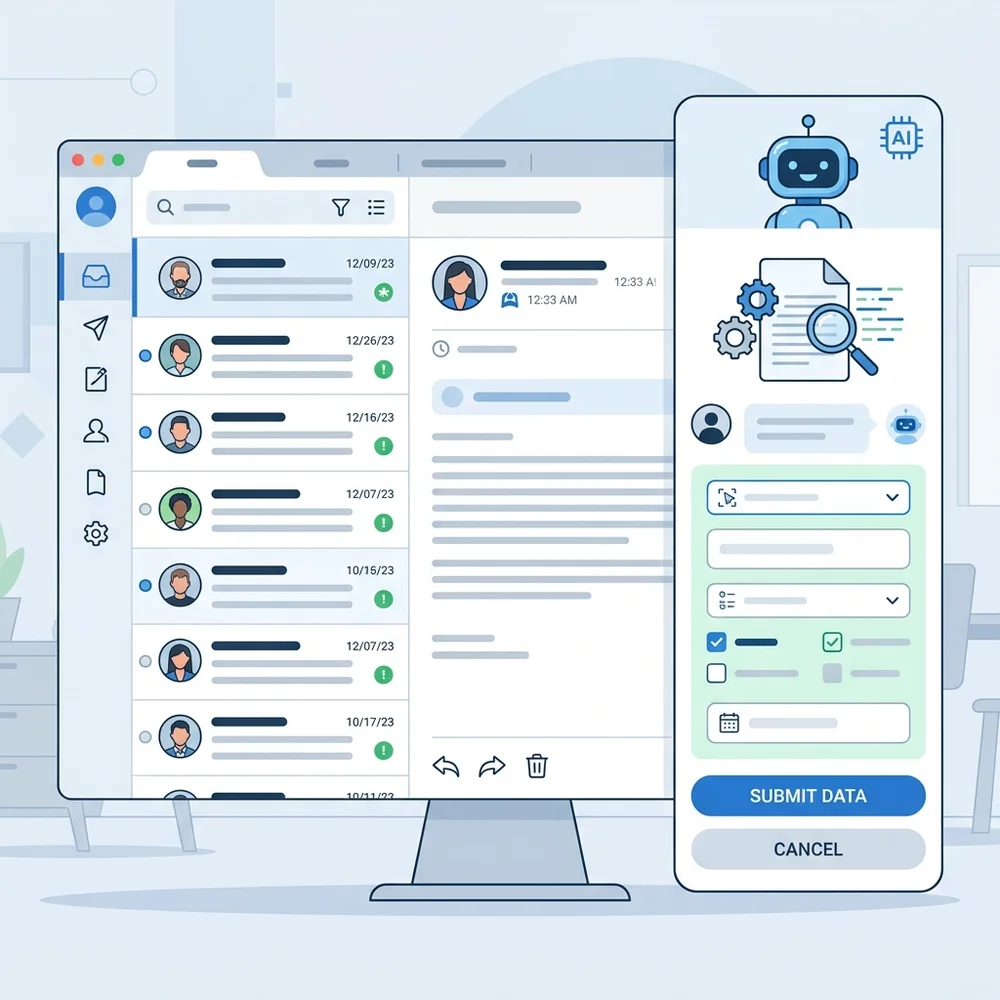
If a user receives an email about a project update, they can simply use the @ symbol to invoke a model-driven app (e.g., typing @ProjectReviewApp in the Outlook Copilot chat) and request an update based on the email’s contents.
- The agent parses the unstructured email data.
- It maps the extracted data (e.g., a new launch timeline or scope change) to the correct Dataverse fields.
- It returns a pre-filled, interactive form directly in the chat.
Crucially, this maintains full governance via Human-in-the-Loop Data Entry. The agent might interpret “March 2027” as March 15th, but agents extract email updates into pre-filled forms for human review/modification before committing to Dataverse. The human user can adjust this to March 31st right in the chat before hitting save. It’s accelerated data entry with mandatory human oversight.
4. Autonomous Orchestration and The Agent Feed
Copilot Studio is moving beyond simple chatbots into Autonomous Copilot Studio Agents—background agents triggered by Dataverse status changes (e.g., approvals completed). For example, when intake approvals complete, an agent can take over the manual scheduling process by utilizing Multi-Tool Agent Orchestration, combining multiple tools:
- Work IQ: Checks team availability, OOO status, and calendars across M365.
- Dataverse MCP Server: Provides data intelligence by reading the relevant project context natively (reading tables).
- Power Apps MCP Server: Executes the action to invoke data entry actions (e.g., to create the calendar record).
To maintain visibility, these actions surface in The Agent Feed—a built-in supervision inbox/task board inside the model-driven app for auditing agent actions and handling escalations. Organized into “Needs attention” and “Completed” queues, the feed acts as an audit trail. If the agent cannot find a matching calendar slot within five days, it doesn’t fail silently; it proposes the closest match and escalates to the human program manager for final approval.
5. Agentic Coding and Generative Pages
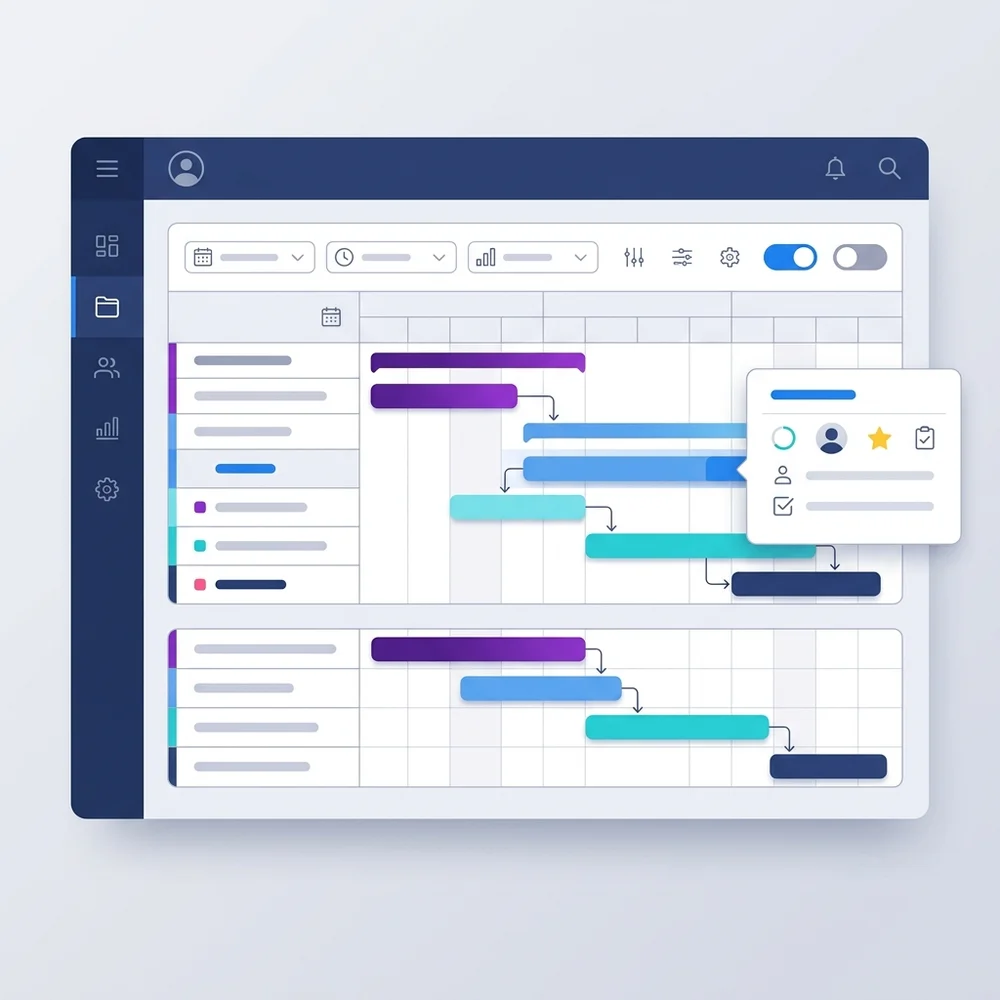
Standard forms and standard grids have their limits. When you need highly specific, interactive experiences (like a custom Gantt chart), Generative Pages bridge the gap. These are React-based custom UIs built alongside standard forms and grids, generated by Copilot inside Power Apps.
We are now seeing the integration of external agentic AI coding tools using Agentic UI Development. By utilizing standalone agentic tools like the GitHub Copilot CLI (v1.0.11), makers can orchestrate multi-file reasoning and generate production-ready React/TypeScript to build complex UI components. You can prompt the CLI to add interactive hover cards displaying budget and risk levels over a Gantt chart.
Using Deployment via CLI, that code is pushed seamlessly into the app. By pushing updated page code directly into the environment using the PAC CLI and MCP servers connected directly to the Dataverse environment, the custom UI inherits the platform’s secure hosting, standard Application Lifecycle Management (ALM), and platform security. This delivers incremental modernization without the overhead of a traditional front-end rebuild.
The Takeaway
These updates represent a maturity milestone for the Power Platform. By deeply integrating M365 context via Work IQ, leveraging MCP servers for autonomous actions, and opening up UI development to agentic CLI workflows, we can build systems that don’t just store data, but actively participate in managing it.
Read next