Decoding Microsoft Copilot Wave 3 & The 'Co-work' Paradigm

Writer
Quiz available
Take a quick quiz for this article.

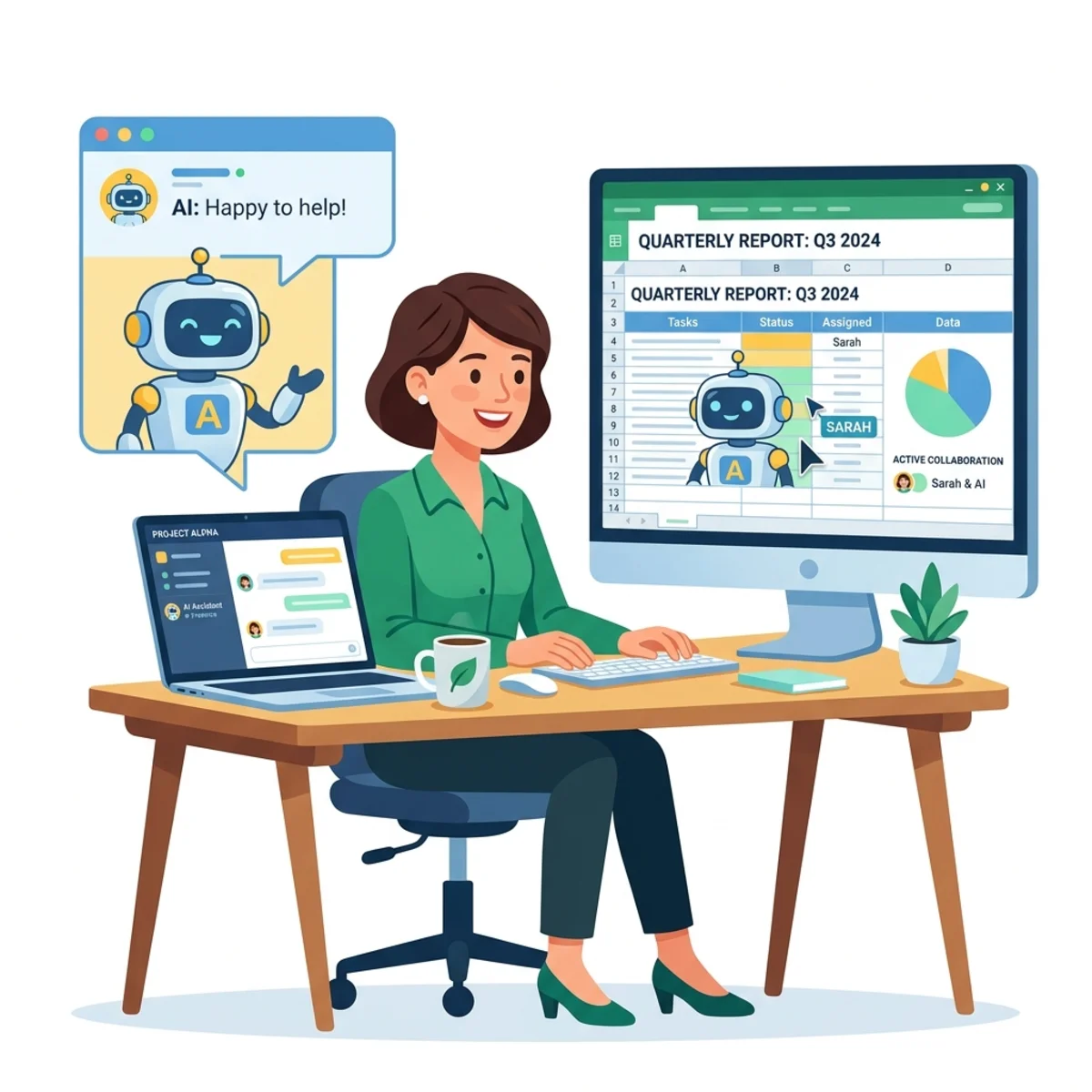
Microsoft has just unveiled what they are calling “Wave 3” of Copilot, and it represents a massive paradigm shift in enterprise AI. We are officially moving past the era of the “AI Assistant” and entering the era of the “AI Co-worker.”
For professionals living inside the Microsoft 365 ecosystem, this update completely changes how tasks are delegated, executed, and managed. Below is a comprehensive technical breakdown of everything you need to know about the new Copilot Co-work experience, the underlying architectural shifts, and the new in-app agentic capabilities.
1. The Core Philosophy: Assistant vs. Co-worker
Up until now, Copilot has functioned as a highly capable assistant. You chat with it in real-time, ask it to summarize a document, and copy-paste the result. It required continuous, synchronous babysitting.
The Co-work update elevates Copilot to an independent entity. A “co-worker” is someone who shares responsibility for an outcome. With this update, Copilot can take an ambiguous goal, build a multi-step execution plan, and run complex processes in the background for days or weeks.
| Feature | AI Assistant (Wave 2) | AI Co-worker (Wave 3) |
|---|---|---|
| Interaction Model | Synchronous (Chat-based) | Asynchronous (Background tasks) |
| Task Management | One-off requests | Long-running execution plans |
| Responsibility | Assists the user | Shares responsibility for outcomes |
| User Presence | Must stay in the chat | Set it and forget it (Background) |
The shift to “Co-work” means Copilot is no longer just a chatbot; it’s a background agent capable of autonomous, multi-day task execution.
The New Co-work UI
Sitting natively inside the Copilot interface (alongside the Researcher and Analyst agents), the new “Co-work” tab replaces the standard chat box with a more holistic prompt: “What should we tackle next?”
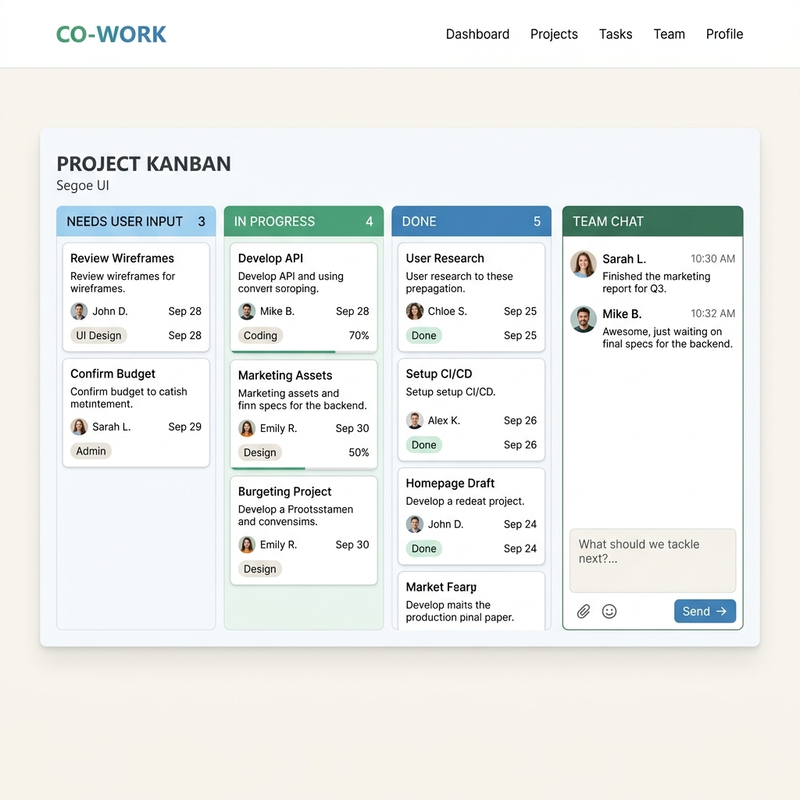
- Kanban-Style Management: Because Copilot is now running multiple long-term tasks simultaneously, the UI features a task board. You can view tasks grouped by “Done,” “In Progress,” and crucially, “Needs User Input.”
- Asynchronous Delegation: You no longer need to keep the window open. You hand off a task, go about your day, and Copilot pings you only when it hits a decision gate or finishes the job.
- Live Interruption: Unlike older LLM interactions where a new prompt resets the context, you can dynamically interrupt Co-work. If it’s halfway through generating a project plan, you can casually add, “Oh, actually, make sure to schedule focus time for me on Friday,” and it will weave that into its current execution flow without restarting.
2. The Engine Under the Hood: Work IQ & Claude AI
Copilot’s unique enterprise advantage has always been its data grounding, but Wave 3 introduces a major architectural enhancement.
Work IQ: This is the contextual connective tissue of Microsoft 365. Copilot doesn’t just read your emails; it understands your organizational graph. It knows who your manager is, who your direct reports are, and the context of your recurring meetings via SharePoint, OneDrive, and Teams data.
Work IQ’s ability to navigate the organizational graph allows Copilot to resolve ambiguous requests like “email my leadership team” without requiring explicit email addresses.
Anthropic’s Claude Integration: Microsoft is heavily expanding its model routing. While OpenAI’s GPT models are still present, Copilot Co-work now taps into Anthropic’s Claude models. Claude is widely recognized for its superior ability to act as a “thinking partner”—excelling at multi-step planning, logic routing, and figuring out complex outcomes.
The integration of Claude models provides a specialized “thinking partner” optimized for reasoning and planning multi-step outcomes, complementing the existing OpenAI models.
3. Advanced Workflows & Practical Applications
How does this actually look in practice? Based on the technical demos provided by Microsoft leadership—including a deep dive from Charles Lamanna, President of Business & Industry Copilot—here are the core capabilities:
Intelligent Calendar & Outlook Management
This goes far beyond finding a free 30-minute slot. You can issue a prompt like, “Help organize my week, review calendar, ask clarifying questions.”
- Interactive Chat Widgets: Copilot will generate an interactive form in the chat, asking you to check boxes defining your goals for the week. It will ask for conflict-resolution preferences (e.g., Protect personal time, Prioritize work, or Decide case-by-case) and ask you to flag historically low-value meetings.
- Actionable Recommendations: It generates and executes actionable recommendations, even booking focus time automatically based on user approval.
- The “Send” Button Integration: When Copilot recommends canceling or rescheduling a meeting, it will automatically draft the apology/reschedule email. Previously, you had to copy-paste this into Outlook. Now, an actual Send button is embedded directly inside the Copilot chat widget, executing the action instantly.
- Future Hope: An “Organize my inbox” feature to better prioritize important emails over spam or urgent-sounding noise.
Contextual Management Reporting
Leveraging Work IQ, Co-work acts as a management proxy.
- Relational Analysis: You can ask it to analyze your calendar over the last month to track the frequency of 1-on-1 meetings with specific direct reports and draft a reach-out plan for those you’ve neglected.
- Zero-Context Execution: If you say, “Package up the notes from my Madrid trip and email my leadership team,” Copilot inherently knows who comprises your “leadership team” (e.g., specific executives like Ryan Cunningham, Dan Lewis) without you explicitly naming them or entering their contacts manually. It aggregates the data, summarizes the topics, packages the notes, and drafts the brief.
Multi-File Generation & Template Adherence
One of the most highly requested enterprise features is finally here: Template adherence. You can upload a blank company template and command Co-work to generate content adhering to that specific format.
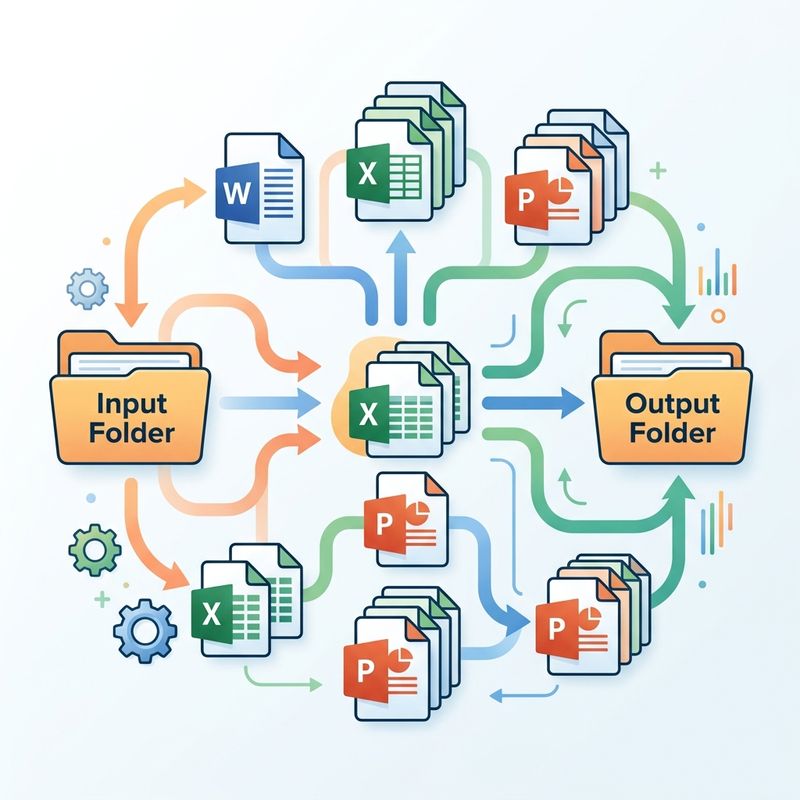
- Simultaneous Deliverables: Copilot can generate multiple deliverables simultaneously. For instance, creating a Word briefing document, an Excel sheet with financial charts, and a client-ready PowerPoint presentation all at once.
- Input and Output Folders: The UI introduces an “Input folder” (for files you provided) and an “Output folder.” The cleanly generated Word, Excel, and PPT files are visible here and auto-saved directly to your OneDrive.
Deep Research
For strategic analysis, Co-work goes far beyond simple query responses.
- Market Analysis: It can analyze competitor markets (e.g., the business applications market).
- Comprehensive Bundles: Instead of a chat-based text response, it generates comprehensive asset bundles, such as an executive summary, a detailed Word document, and a financial Excel spreadsheet based on its findings.
4. “Edit with Copilot” (The Evolution of Agent Mode)
The final pillar of the Wave 3 announcement is the evolution of what was previously known as “Agent Mode” or “App Skills” into Edit with Copilot. This is true agentic working inside the native Microsoft applications—working in-app rather than strictly in a side-chat.
Instead of opening a side-panel, the prompt shifts to a direct interaction: “Describe what you’d like to edit.”
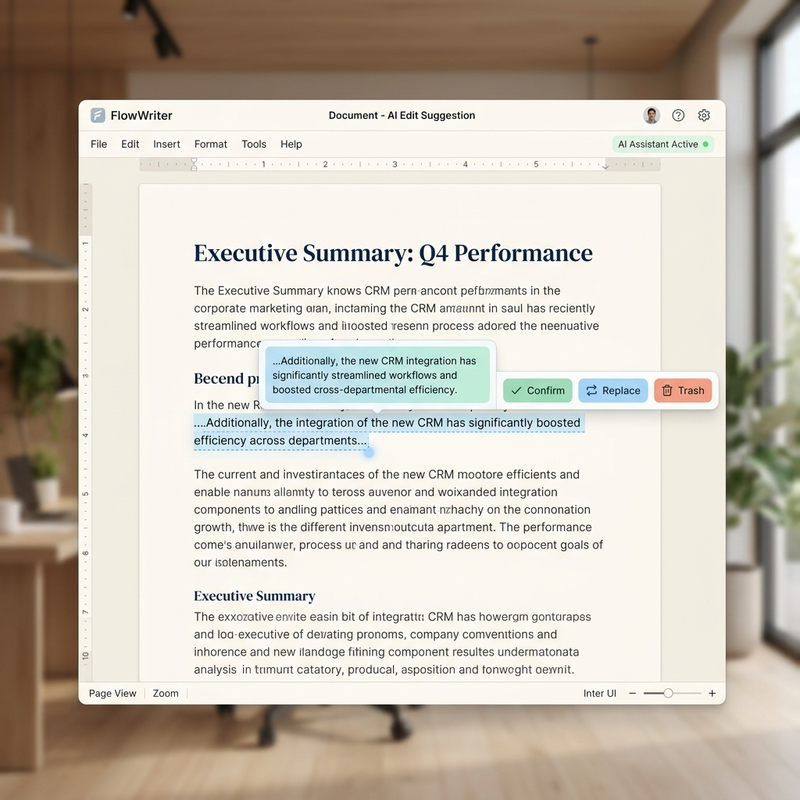
Pro Tip: “Edit with Copilot” is the evolution of Agent Mode. It eliminates the friction of copy-pasting by pushing AI edits directly onto the active application canvas.
- Outlook: It drafts text directly onto the email canvas or body. You can watch it build and iterate live (e.g., “add a table”). The UI includes embedded “Confirm,” “Replace,” and “Trash” buttons to accept or discard edits interactively.
- Word: Performs targeted, in-place edits. It can restructure existing tables, fill out templates live on the page, and alter formatting without any side-panel copy-pasting.
- PowerPoint: Pushes edits, layouts, and generated text directly onto the active slide without requiring copy-pasting from the side panel.
- Excel (The Model Selector): A unique feature designed for precision—inside Excel, users are given a dropdown to manually toggle and explicitly choose the underlying AI model based on the task. You can manually force it to use an OpenAI GPT model or a Claude model to run specific functions like variance analysis right on the grid.
Final Thoughts
Copilot Wave 3 bridges the gap between text generation and task execution. By combining the deep organizational context of Work IQ with the planning capabilities of Claude, and upgrading the UI to support long-running, interruptible, multi-app workflows, Microsoft is delivering the first true iteration of an AI Co-worker.
Read next