Microsoft Copilot Studio | 2026 Release Wave 1

Writer
Quiz available
Take a quick quiz for this article.
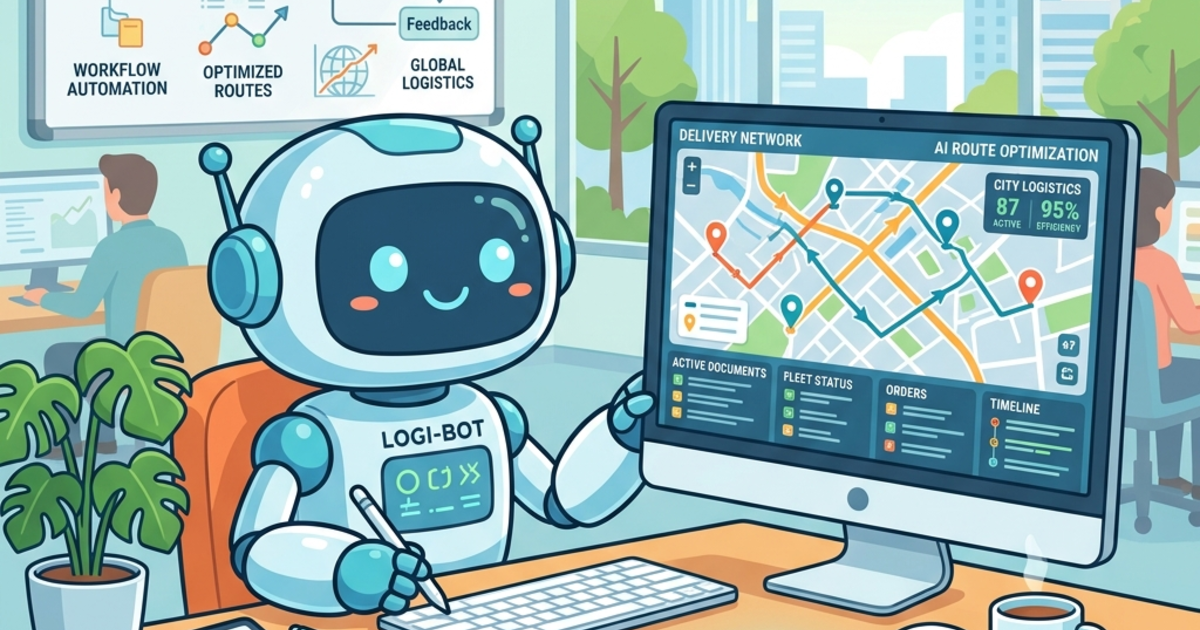
The era of the “answer-only” chatbot is winding down. The new benchmark for enterprise AI centers on autonomous, reasoning agents that don’t just talk—they plan, act, and execute within complex environments. The Microsoft Copilot Studio 2026 Release Wave 1 marks a significant leap in this direction, introducing capabilities that redefine how intelligence is embedded into enterprise workflows.
This technical deep dive explores the three core pillars of this release: reverse-embedded Agent Flows, the Model Context Protocol (MCP), and multi-model Computer Use capabilities. Using a logistics route planning scenario as a practical anchor, this article breaks down how these advancements are fundamentally reshaping enterprise architecture for the future of agentic AI.
The Paradigm Shift: Embedding Agents into Flows
Historically, Microsoft designed architecture where an Agent acted as the primary orchestrator, calling out to Power Automate flows when a structured process was required. Microsoft has officially flipped this capability via Reverse Embedding: Agents can now be embedded directly within an Agent Flow.
This allows for highly deterministic orchestration pipelines injected with localized intelligence exactly when needed. Consider a legacy-heavy supply chain architecture:
- Trigger: An Agent Flow catches new sales orders from Dynamics 365 Finance and Operations.
- Unstructured Data Gathering: The flow summons the Computer Use tool to navigate disconnected, web-based systems (like local traffic or weather risk dashboards).
- Legacy Integration: A Power Automate Desktop (PAD) flow is called to rapidly populate legacy on-premise forms.
- Agentic Synthesis: All collected unstructured and structured data is fed into a localized Route Planning Agent, which synthesizes the data to make a final decision.
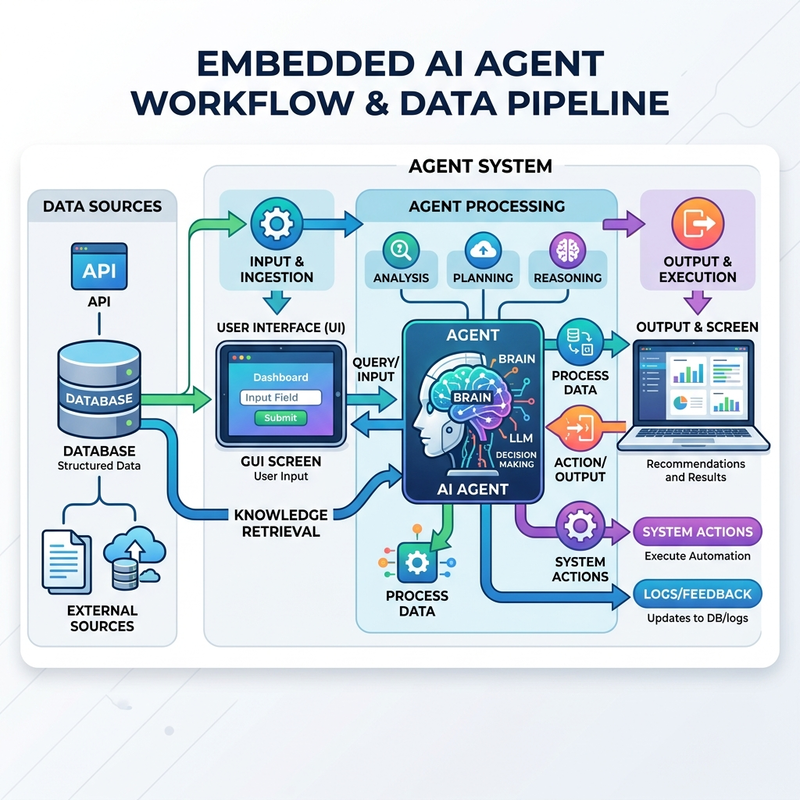
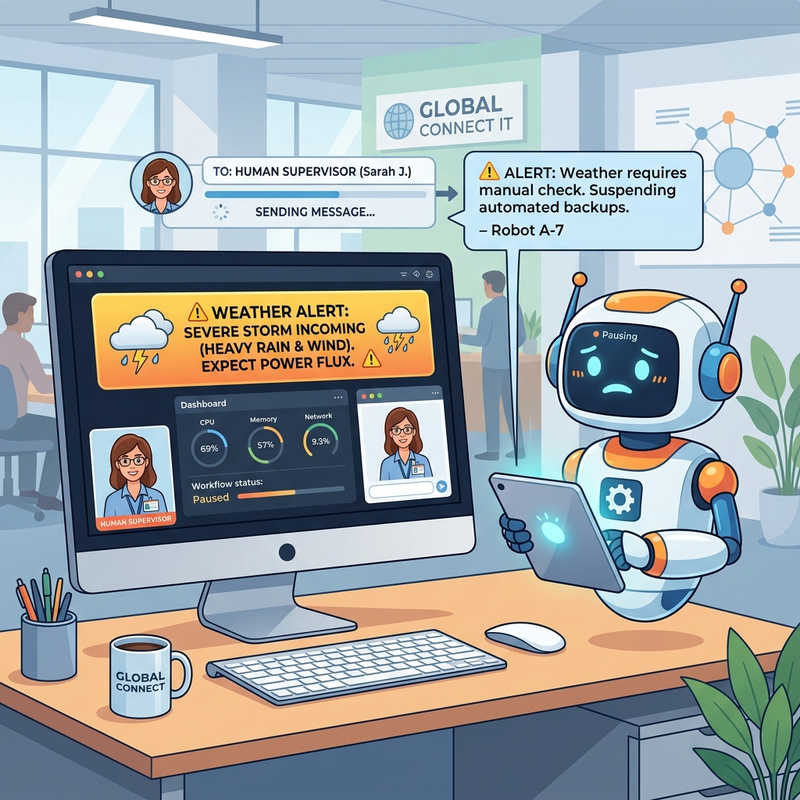
Furthermore, these reverse-embedded agent flows feature new Human-in-the-Loop mechanics: Agents can automatically pause their execution and request assistance directly from the connection owner if they find that the information required to proceed is incomplete.
A quick architectural note on UI consistency: As Microsoft has seen when deploying these complex flows across various tenants at Kloudmeta, Copilot Studio environments can be highly fragmented during rollouts. For instance, you might find that certain conversational nodes, like the “Respond to user” option, are completely missing in your specific environment. Always design your flows with robust fallback error handling rather than assuming uniform UI parity.
Expanded LLM Support: Enter Claude Opus
Microsoft is leaning heavily into model-agnostic architecture. Copilot Studio now natively supports Anthropic models, incorporating both Claude Sonnet and Claude Opus, alongside the existing OpenAI models.
For tasks requiring deep, multi-step reasoning—like complex route planning that requires balancing fuel costs, distance, service-level agreements, and weight constraints—routing the agent’s logic through Claude Opus is explicitly recommended and yields vastly superior planning capabilities.
Beyond these flagship models, you now have incredibly broad support: Over 11,000 models are supported for Prompts, including the integration of custom specialized models hosted via Azure Foundry.
Contextual Grounding with Work IQ and MCP Servers
An agent is only as intelligent as the data it can access.
Copilot Studio introduces Work IQ, which grounds the agent deeply in the Microsoft Graph—pulling rich context natively from Teams, Outlook, SharePoint, OneDrive, and even Employee Profiles.
But the real game-changer for system architects is the expansion of Model Context Protocol (MCP) servers:
- Work IQ Calendar Server: This grants the agent native tools to directly write and manage schedules on user (e.g., driver) Outlook calendars.
- Power Apps MCP Server: Connects the agent directly to Dataverse and Field Service applications out-of-the-box.
- Custom MCP Servers: If out-of-the-box connectors don’t suffice, developers can build custom MCP servers to encapsulate proprietary routing rules, geographical constraints, and specific third-party API data sources.
Moving Beyond JSON: Advanced Prompting and Native Document Generation
One of the most friction-heavy parts of agentic output has been formatting. Previously, you’d extract a JSON payload and pass it to a secondary flow to populate a Word document.
Template-Based Document Generation now bypasses this entirely. Prompt outputs are no longer restricted to Text or JSON. Copilot Studio can ingest a raw document layout or template, identify and map the fields, and author a fully formatted document (such as a formal Route Plan manifest). The model evaluates its instructions, reviews the Work IQ knowledge sources, and autonomously generates the final output.
Significant upgrades have also been made to the prompting experience itself:
- Prompt Assistant: Converts natural language descriptions into highly detailed system instructions and proactively suggests relevant knowledge inputs for the AI to utilize.
- Inline Editing & Testing: Prompts can be edited and tested directly within the agent configuration UI to adjust the AI’s reasoning depth on the fly.
The Computer Use Tool Enhancements
The Computer Use capabilities in Copilot Studio allow an agent to literally drive a graphical user interface, bridging the gap to external systems lacking APIs. Its core purpose is allowing agents to reason across disconnected systems (e.g., weather advisories, local traffic, fuel prices) and synthesize the required data.
Notably, it now boasts Cross-Model Support, enabling both OpenAI and Anthropic models for GUI navigation.
However, pure web autonomy in high-stakes environments carries risk. To combat poor execution:
- Instruction Builder Warnings: The UI will actively warn the developer if the provided natural language instructions lack the clarity needed for the model to execute the navigation cleanly.
- Supervisor Handoff (Human-in-the-Loop): If an agent using the Computer Use tool encounters ambiguity—for example, it spots a weather alert but doesn’t know the company’s threshold for a “high-risk rain delay”—it acts like a subordinate employee. It will dynamically pause the flow, send an email to a designated supervisor or manager to define the threshold, wait for the response, ingest the new parameters, and resume the task without breaking the flow.
Validating the Agent: Multi-Turn Evaluations & Testing
You cannot deploy an autonomous agent without rigorous CI/CD-style testing. Copilot Studio now features advanced Simulation Capabilities via Multi-turn Evaluations that simulate complex, full-cycle conversational exchanges.
- Auto-Generation: Test conversations can be manually crafted or auto-generated based entirely on the agent’s instructions, its bound knowledge base, or topics.
- Granular Grading: When the evaluation runs, it stringently tests the agent against general quality, tool usage, keyword presence, and custom instructions.
- Detailed Feedback: Passing grades provide full transparency, showing the reasoning trail and the exact knowledge sources used. Failing grades provide targeted assessments on why the output was poor, diagnosing the degradation and guiding the developer to surgically patch the agent by adding specific missing prompt constraints or knowledge sources.
Closing the Loop: The “Last Mile” Workflows Agent in M365
Finally, Microsoft is addressing the “last mile” of operational execution with the new Workflows Agent in Microsoft 365. This democratizes automation for operations managers who don’t have the technical background to build in Power Automate.
- Everyday Language Automation: Managers can simply
@mentionthe Workflows Agent in a Teams or M365 Chat to build complex automations using natural language without any coding. For instance: “Whenever a new route plan is generated, ask for my approval. If I approve, summarize the plan and send it to the fulfillment team channel.” - Iterative Refinement: The agent actively interprets the intent, and will automatically ask clarifying questions if the human’s request is vague or missing logical steps before building the workflow.
- Immediate Activation: Once the step-by-step automation is finalized and saved, it becomes instantly active.
Conclusion
Microsoft is moving past the era of the “helpful chatbot.” By integrating reverse-embedded agent flows, custom MCP servers, native document generation, and multi-model Computer Use, Copilot Studio is providing the architectural building blocks for true, autonomous enterprise logistics. The agents don’t just assist anymore; they plan, they act, and they adapt.
Read next