Mastering the Enterprise Control Plane: A Deep Dive into Microsoft Agent 365

Writer
Quiz available
Take a quick quiz for this article.
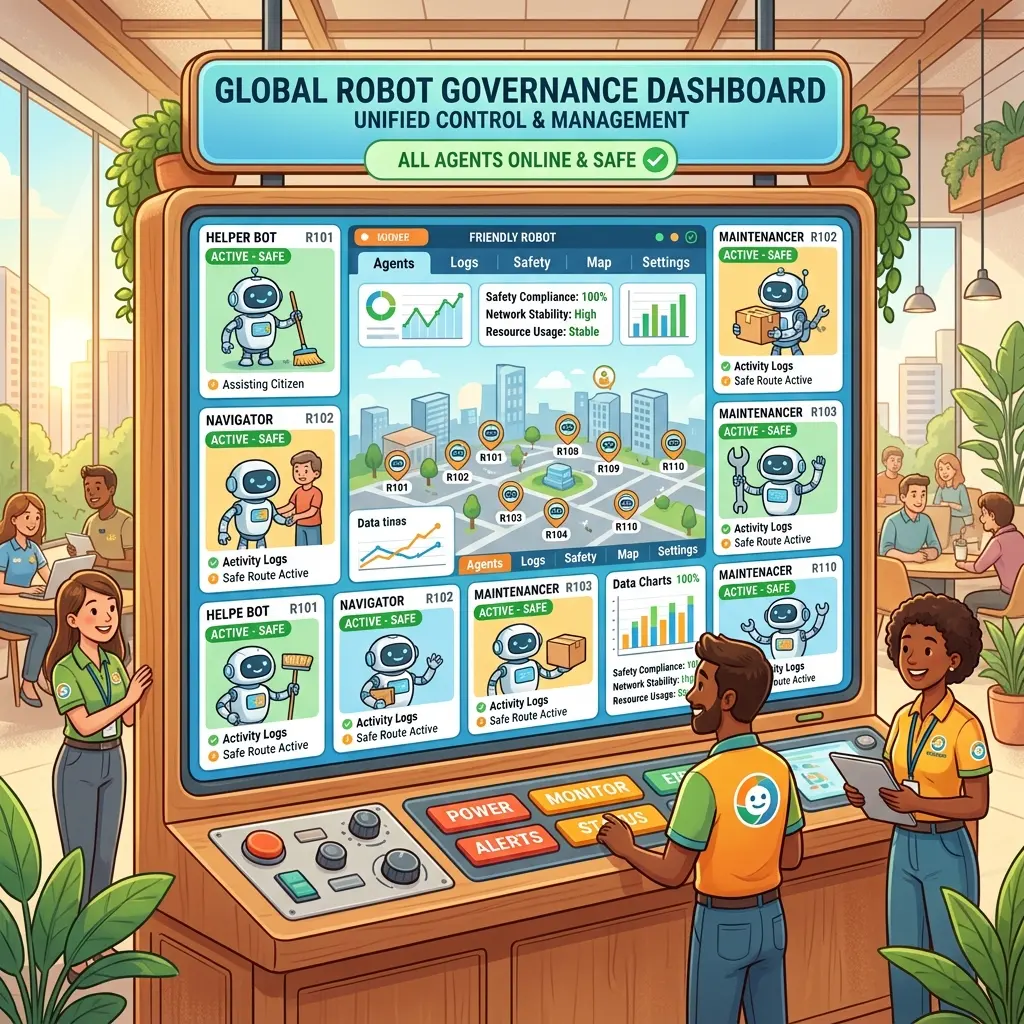
As of May 1, 2026, the landscape of AI administration has shifted. We are moving past the “creation phase” and into the “governance phase.” For those who have cleared the AB-100 certification, the next frontier is Microsoft Agent 365.
This isn’t another tool for building agents—it is the enterprise control plane designed to observe, secure, and govern every agent in your tenant, regardless of whether it was built in Copilot Studio, Microsoft Foundry, or via custom code.
The Architectural Framework: Observe, Govern, Secure
Agent 365 is built on three foundational pillars that bridge the gap between “Shadow AI” and enterprise compliance.
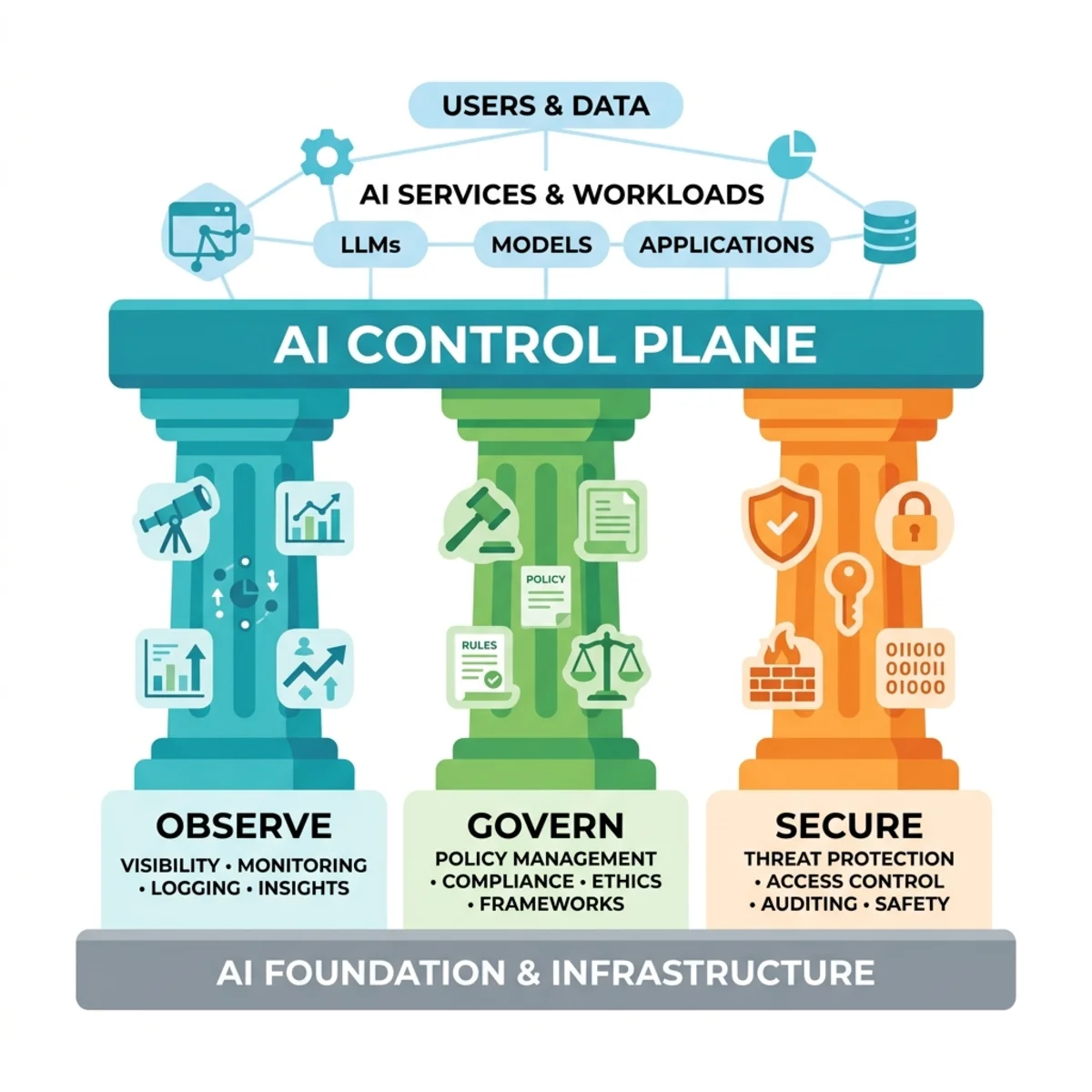
- Observe: Centralized visibility. It provides a single registry to view all agents, active users, and runtime hours. The Agent Map is particularly critical for architects to understand dependencies and the “blast radius” before making changes.
- Govern: This covers the full life cycle. Every agent, even if built by an admin, must pass through an IT approval queue. Ownership is mandatory; an “ownerless” agent is a liability.
- Secure: Direct integration with Entra, Purview, and Defender. This isn’t just “broad” security—these are policies scoped specifically to individual agent identities.
Taxonomy of the Registry: The Nine Agent Types
Understanding the “Type” field in your registry tells you the origin, the tech stack, and the governance requirements.
| Agent Type | Source / Origin | Complexity |
|---|---|---|
| MCSDA | Copilot Studio (Declarative) | Low-code, instruction-based |
| MCSCA | Copilot Studio (Custom Engine) | High-control logic |
| MCS BP | Copilot Studio Business Process | Structured automation workflows |
| Foundry LOB | Microsoft Foundry | Pro-dev / AI Engineer agents (Line of Business) |
| Foundry Non-LOB | Microsoft Foundry | Pro-dev / AI Engineer agents |
| Foundry Hosted | Microsoft Foundry | Pro-dev / AI Engineer agents |
| Agent Builder | Copilot Chat (Native) | Lightweight, knowledge-worker built |
| SharePoint Agents | SharePoint Online | Grounded in specific document libraries |
| Agent Toolkit | M365 Agents SDK | Code-first (Teams native) |
The “Agent Instance” Tier: This is the highest governance tier via the Agent 365 SDK, encompassing agents from any source.
The 30-Day Observability Stack
We no longer measure success just by “number of agents.” We look at three specific telemetry signals inside the Agent 365 Registry:
- Active Users: Unique users prompting the agent across Teams, Web, or Mobile over a 30-day period.
- Runtime Hours: The actual computational work (from request start to completion). This helps in capacity planning and cost-benefit analysis.
- Trending Agents: Spotting spikes in popularity.
Pro-Tip: Popularity without governance is a risk signal. If an ownerless agent is trending, it’s an immediate priority for the AI Admin.
Operational Governance: Closing the Gap
Using the Kontoso Manufacturing case study (12,000 employees, 60+ agents), we see a common pattern: 63% of agents had no owner, and 0% had DLP. Agent 365 addresses this through Governance Action Workflows, specifically four “Action Cards”:
- Pending Requests: The approval queue where you apply policy templates.
- Agents at Risk: Aggregated high-severity signals from the security pillars.
- Agents without Owners: The “Accountability Queue.”
- Agents with Exceptions: Identifying broken logic vs. security threats.
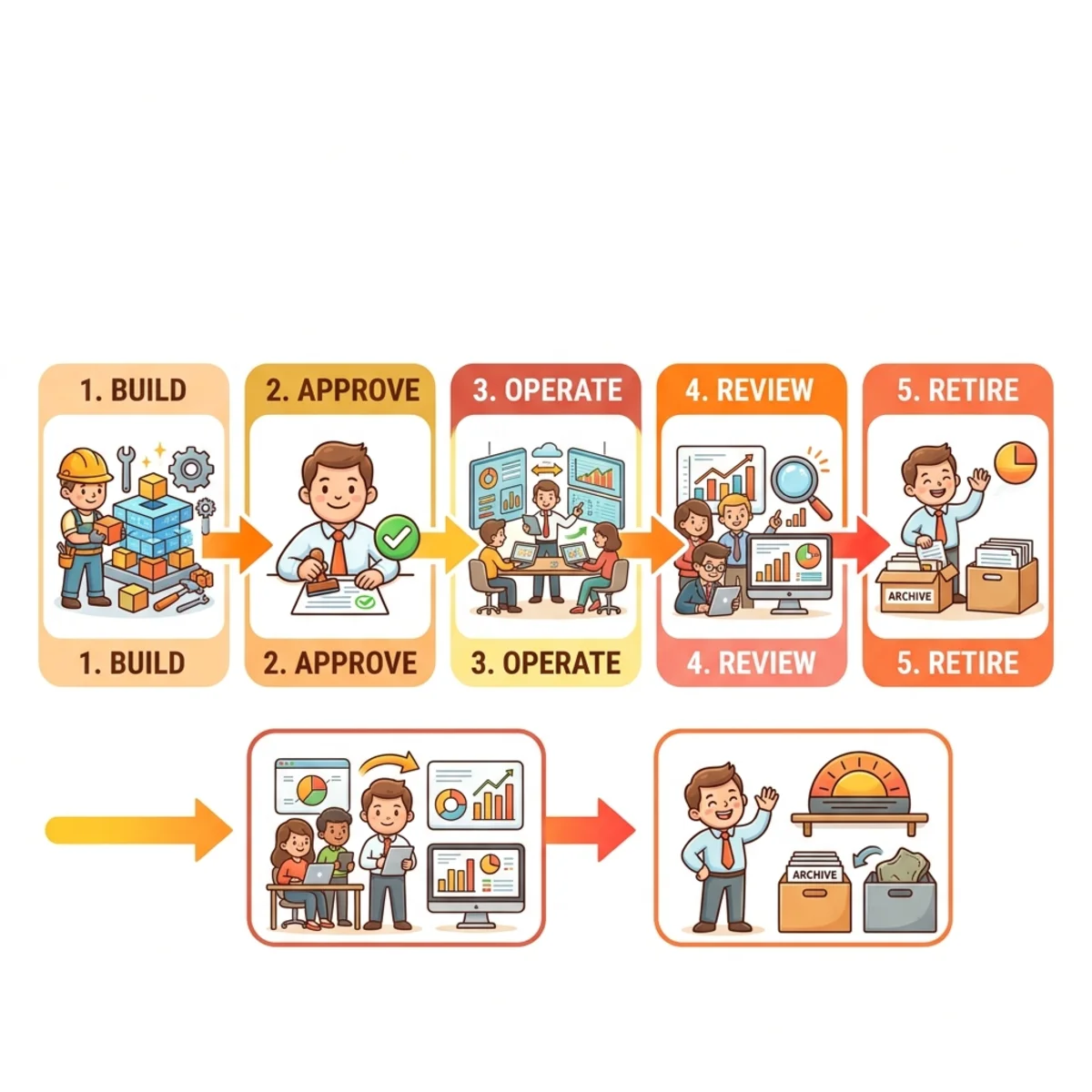
To effectively manage these, the governance process relies on a Five-Stage Life Cycle:
- Build/Submit
- IT Approval
- Operate
- Review
- Retire
Note on Roles: You cannot perform these administrative actions with a “Copilot Studio Admin” role alone. You must hold the AI Administrator or Global Administrator role.
Registry Navigation
For administrators, navigating the Registry is essential. The interface is broken down into:
- Overview metrics: High-level telemetry on usage and risk.
- Requests tab: Managing the IT Approval workflow for new and updated agents.
- Agent Map: A topology view mapping out dependencies and integrations.
The Security Trinity: Entra, Purview, and Defender
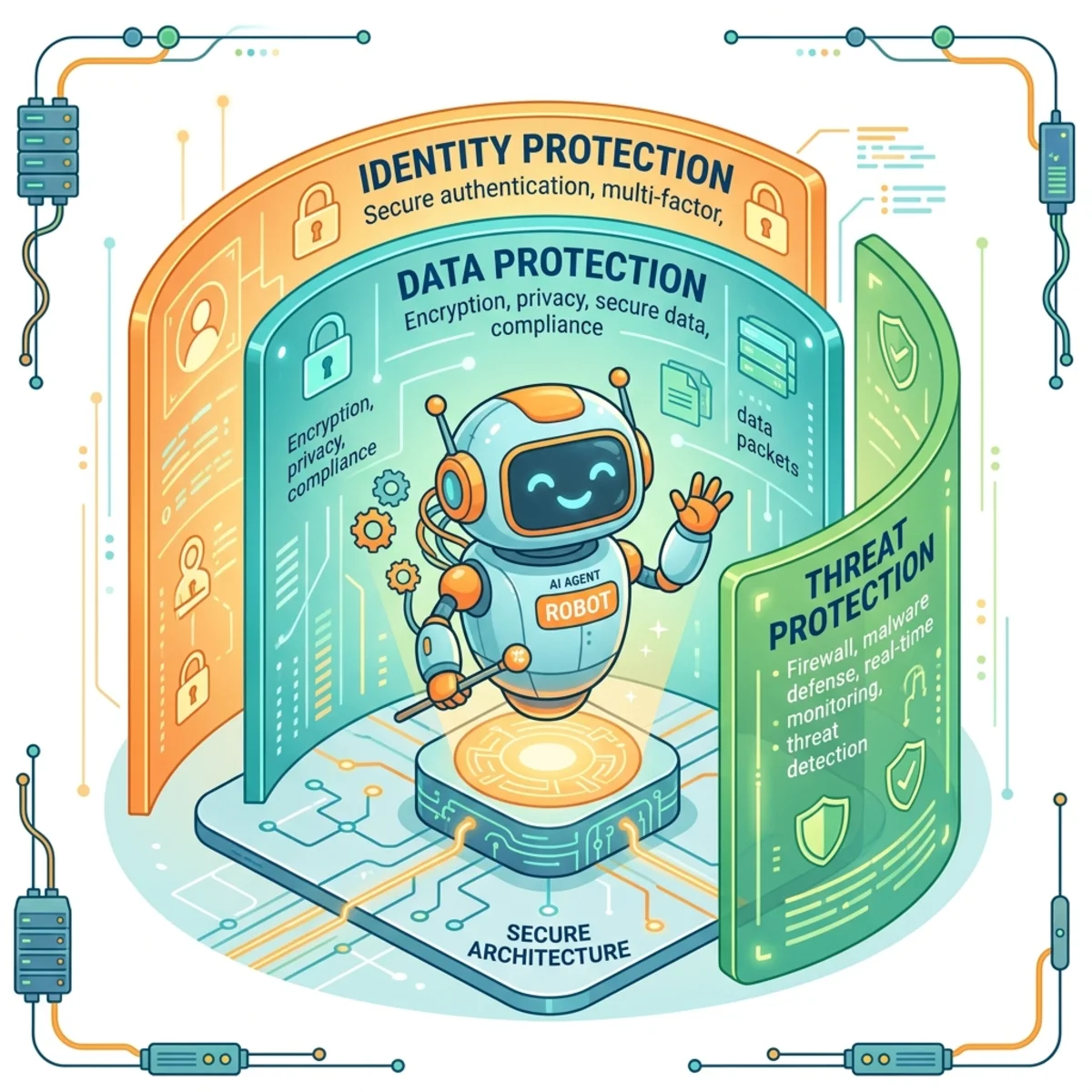
Identity via Microsoft Entra
When an agent is registered as an Agent Instance, it receives an Intra App Registration.
- Permissions: Use “Agents.ReadWrite.All” or equivalent. Admin consent is non-negotiable.
- Conditional Access: You can now target an agent’s App ID to enforce MFA or device compliance on the agent’s actions, just like a human user.
Data Governance via Microsoft Purview
- Agent-Scoped DLP: Unlike tenant-wide policies, you can target specific agents.
- Sensitivity Labels & Retention Policies: Automatically govern the data processed and generated by the agent.
- Silent Failure (Technical Tip): DLP blocks runtime data access, not deployment. The agent will install fine but fail silently when accessing restricted data. You must check the DLP match logs to verify enforcement.
Threat Protection via Microsoft Defender
Defender for Cloud Apps provides runtime detection for Prompt Injection and Unusual Data Exfiltration. These signals surface directly in the Agent 365 Registry, creating a composite risk score so you don’t have to hunt through three different portals.
The “Agent Instance” and the Agent 365 SDK
The Agent Instance is the “Premium” governance tier. You can take a simple SharePoint agent and “upgrade” it by registering it via the SDK.
The Registration Manifest (JSON):
To register, you must provide a manifest including:
agentName,version, andenvironment.intraAppId(The identity link).sdkVersion.
This registration grants the agent an identity, allows for Purview DLP coverage, and enables the richest telemetry available in the registry.
Implementation Roadmap & Milestones
Transitioning to this model requires a structured approach. If you are managing an estate (like the Savola-to-Tiryaki migration projects), these milestones are your checklist:
- Audit: Record your baseline counts (Pending, At Risk, Ownerless, Exceptions).
- Sync: Connect non-Microsoft platforms via Registry Sync.
- Policy: Implement the “90-day Stale Agent” rule to auto-flag inactive agents.
- Simulate: Run Purview DLP in “Simulation Mode” for 24 hours before enforcing.
- Register: Move your high-value MCSCA agents to the “Agent Instance” tier using the SDK.
Final Technical Tip: Personal Microsoft accounts cannot obtain bearer tokens for agent API authentication. Ensure all registrations and SDK interactions are performed using Work or School accounts within the tenant boundary.
Summary for the AI Admin
Agent 365 is the bridge between the wild west of “Agent Builders” and the structured world of Enterprise IT. By shifting your focus from how an agent is built to how it is governed, you ensure that AI remains an asset rather than a liability.
Read next