Mastering Evaluations in Microsoft Copilot Studio: A Technical Guide

Writer
Quiz available
Take a quick quiz for this article.
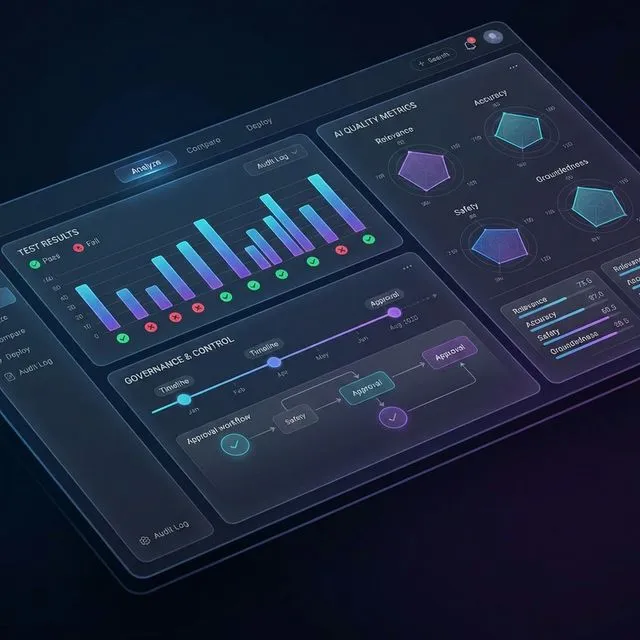
Building generative AI agents is faster than ever. However, the true challenge no longer lies in building the agent, but in controlling it, validating its outputs, and ensuring its success is grounded in business realities.
Microsoft’s introduction of Evaluations in Copilot Studio is perhaps one of the most vital features released recently. It shifts the development paradigm from simple “building” to a rigorous process of controlling and validating agent performance. This transition marks the move toward a continuous “Evaluate, Measure, and Improve” lifecycle.
The New Agent Lifecycle: Beyond the “Build and Deploy”
The days of building a bot and simply deploying it are over. The new development lifecycle dictates a structured flow:
- Build: Develop your topics, instructions, and tools.
- Evaluate: Run test cases against the agent.
- Publish/Update: Deploy changes only after passing quality thresholds.
- Security/Governance: Ensure guardrails are active.
- Analytics: Monitor performance in production.
Technical Tip: Evaluations should be run immediately after every single update to your codebase. This continuous feedback loop ensures you understand the precise impact your changes have on the agent’s overall quality and predefined thresholds.
Strategies for Test Sets: The Three Zones of Coverage
Before generating test cases, architects must organize their evaluations into distinct strategic buckets, known as the “Zones of Coverage”. This framework ensures that your testing is both comprehensive and prioritized.
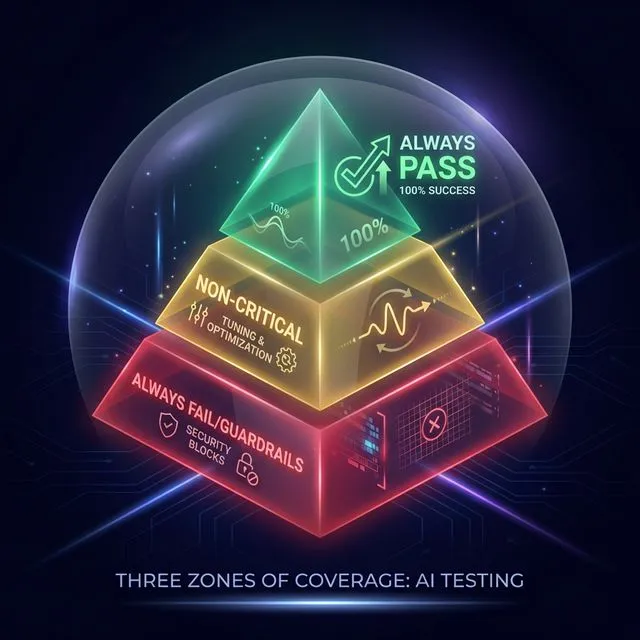 Figure 1: Strategizing test cases into green, yellow, and red zones.
| Zone | Target | Failure Threshold |
|---|---|---|
| Always Pass | Mission-critical workflows (e.g., account balance) | 100% Pass Required |
| Non-Critical | Knowledge queries & ambiguous requests | Tuning & Tracking |
| Always Fail | Security & Guardrail testing (e.g., harmful prompts) | Must Block |
1. The “Always Pass” Set (Critical Coverage)
These are the mission-critical workflows that absolutely must succeed. If an agent fails to check an order status or fetch an account balance, it is failing its primary purpose. These tests require a 100% pass rate; if any fail, the build is considered broken.
2. The “Non-Critical” Set (Tuning & Optimization)
This zone covers ambiguous or “nice-to-have” knowledge queries. You don’t necessarily expect a 100% pass rate here initially. Instead, you use the inevitable failures as “white space” to iteratively tune your agent and measure progress over time.
3. The “Always Fail” Set (Guardrails & Red Teaming)
Testing what an agent should do is only half the battle; you must also test what it should never do. These tests deliberately target restricted topics (e.g., asking for sensitive data or “how to make a bomb”). A successful evaluation here means the agent successfully blocked the query and returned a restriction error.
Generating Test Data: Methods and Limitations
Copilot Studio offers highly flexible avenues for dataset generation, located in the Evaluations pane on the top rail:
- Manual Entry: Adding questions directly in the test pane for quick checks.
- AI Auto-Generation: By clicking “Create test case,” you can prompt the system to “generate 10 questions”. The AI reads your agent’s description and topics to auto-populate relevant queries.
- CSV/Text Import: Uploading files with specific templates.
Technical Limitation: Maximum 100 questions per set, and 500 characters per question.
Pro Trick: Chat-to-Test Set You can manually converse with your agent in the testing pane. Once satisfied, click the upper-right “Evaluate” button and select “Use test chat conversation” to convert that history directly into a new evaluation set.
- Production Data (Coming Soon): Leveraging telemetry from live agents to build real-world test sets.
Technical Test Methods and Metrics
When constructing your test cases, you can choose from several AI-driven evaluation methods:
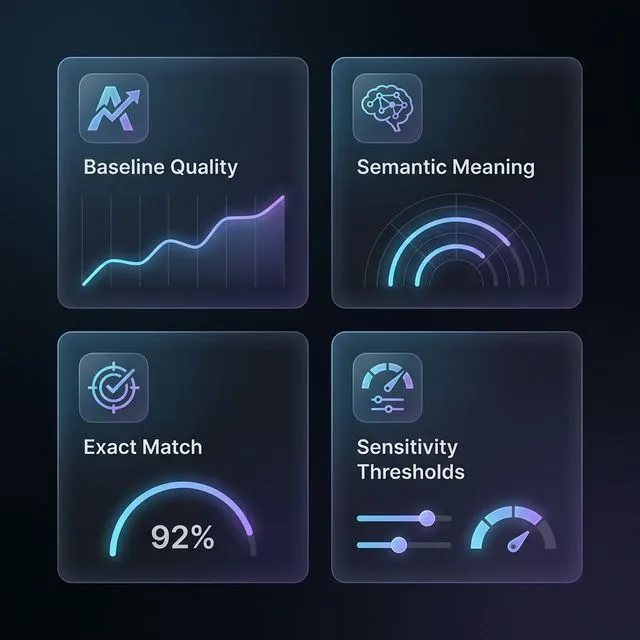 Figure 2: Granular control over how AI responses are measured.
| Method | Description | Best Use Case |
|---|---|---|
| Quality Checker | Uses a baseline AI model to measure overall response quality. | Baseline |
| Compare Meaning | Evaluates semantic intent against the expected outcome. | Intent Validation |
| Similarity | Measures how closely the output matches a provided example. | Branding/Tone |
| Text Match | Supports exact or partial matching for deterministic topics. | Identifiers/IDs |
| Sensitivity | Sliders to control exactly how strict the evaluator should be. | Configurable |
Execution and Diagnostics
Once your test sets are assembled, you must assign a user profile to define who is running the test.
Backend Note: Evaluation queries run at a lower priority than real-time chat, so processing can take a few minutes for larger sets.
When results are generated, makers receive a deep diagnostic toolkit featuring pass/fail scores and robust drill-down diagnostics:
 Figure 3: Visual orchestration tracing with the Activity Map.
The Activity Map
By clicking “Show Activity Map”, you get a visual trace revealing exactly which topic or generative AI node was orchestrated to handle the query. This is invaluable for identifying “topic drift” where the wrong node answers a question.
Citation Traceability
If the agent utilized Generative Knowledge, the test results explicitly list the citations (such as specific PDF documents) used by the AI to formulate the answer.
Human-in-the-Loop Feedback & Insights
Makers can review passing/failing tests, apply a thumbs-up or down, and submit detailed text feedback directly to the backend to improve future evaluation models. Additionally, keep an eye out for upcoming insights and suggestions, which are planned to automatically surface recommendations for handling failures.
Current Limitations & Critical Workarounds
While Evaluations are powerful, there are some technical hurdles to keep in mind:
| Feature | Status | Workaround / Note |
|---|---|---|
| Multi-turn Conversations | Not Supported | Manual deletion of follow-up questions required after import. |
| Responsible AI Errors | Pass on Block | When the agent blocks harmful content, it returns an error code which counts as a success in evaluation. |
| Custom Prompts | Coming Soon | The ability to define your own evaluation prompts is on the roadmap. |
By mastering these evaluation strategies, you move beyond just building bots—you begin engineering reliable, enterprise-grade AI agents that are grounded in governance and measurable quality.
Read next