Building Enterprise-Grade Autonomous Systems with the Microsoft Agent Framework

Writer
Quiz available
Take a quick quiz for this article.
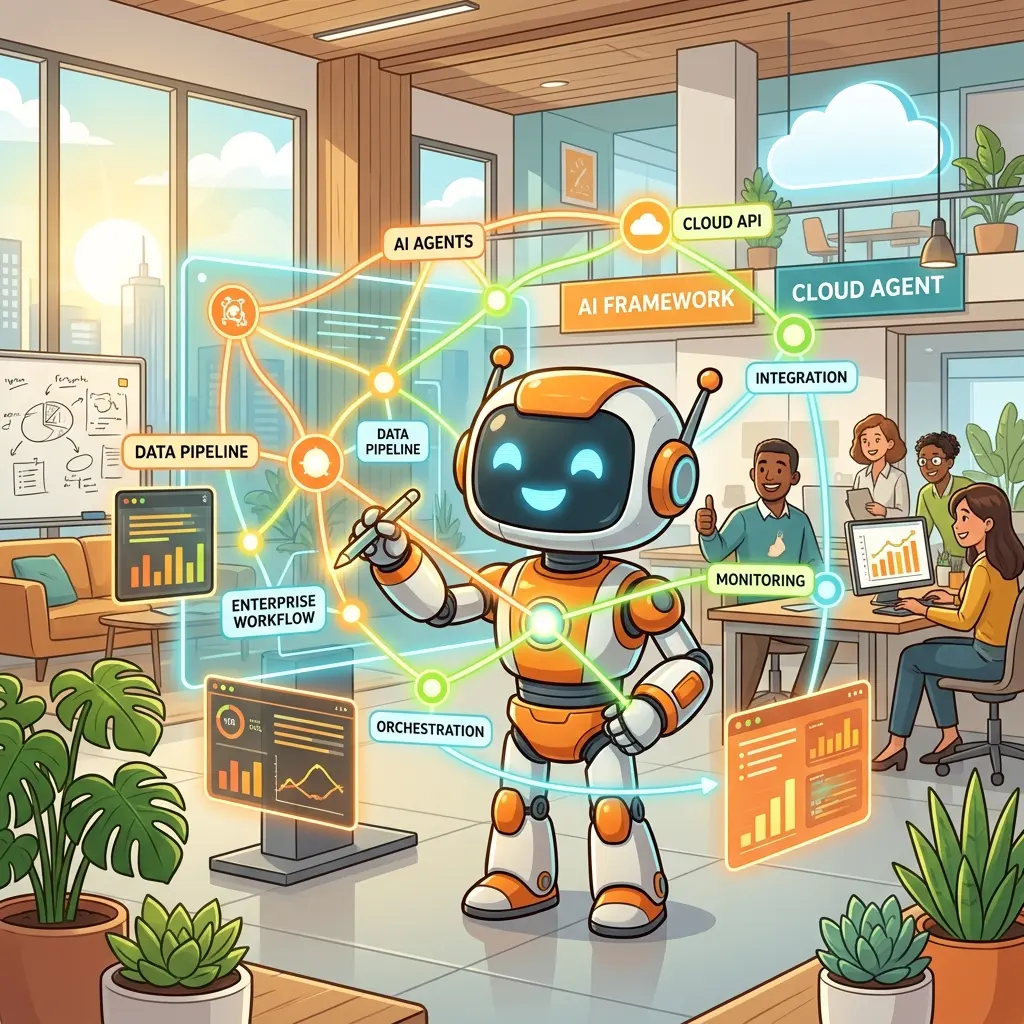
The shift from building simple LLM prototypes to deploying robust, enterprise-grade agentic applications requires a fundamental change in architecture. Recently, at the Microsoft Reactor AI Genius Series, Principal AI Consultant Rakkesh Lakshmi Narayana unpacked exactly how to bridge this gap.
With the Microsoft Agent Framework now reaching General Availability (GA), developers have access to an open-source, highly extensible SDK (available in C# and Python) designed to handle the heavy lifting of agent orchestration.
Here is a deep dive into the core teachings, architectural patterns, and practical code strategies for building advanced, multi-agent systems.
1. Anatomy of an Enterprise Agent
At its simplest, an AI agent requires three things: a language model (the reasoning engine), tools (hands to interact with the outside world), and memory (context). These components execute in a continuous “Agent Loop”—reasoning, calling tools, and updating memory until a final response is formulated.
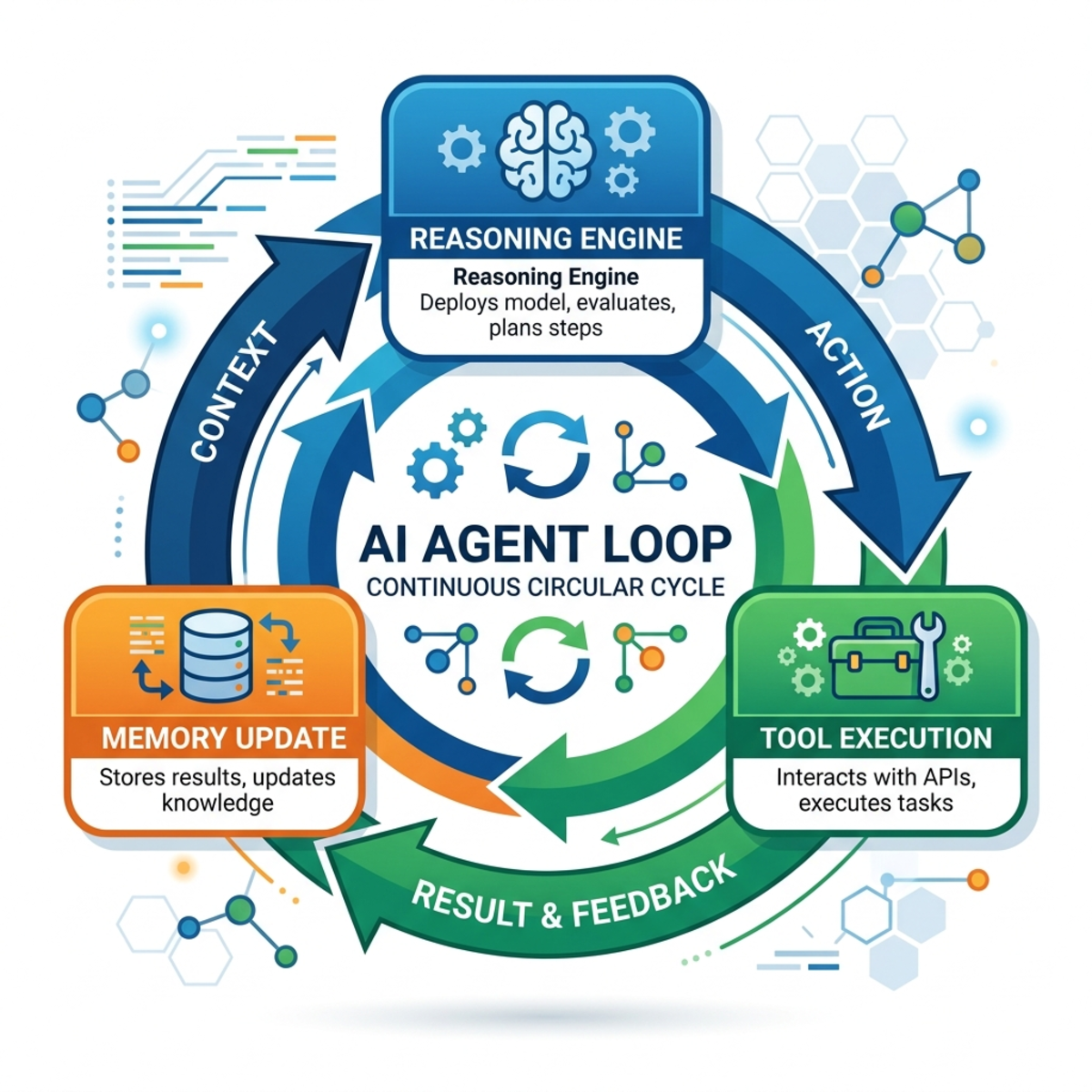
However, moving to production introduces strict enterprise requirements:
- Guardrails: Reducing the blast radius of unintended actions through human-in-the-loop approval workflows.
- Observability & Audit Trails: Tracing exact execution paths, tool calls, and model context for compliance and debugging (powered natively by OpenTelemetry).
- Cost Management: Intelligently managing token usage by keeping context lean and caching tool responses.
- Scaling: Building the plumbing necessary for multiple specialized agents to collaborate seamlessly.
2. Modern Dev Environment & Architecture
To support a modern agentic stack, the demonstration utilized a cloud-native architecture.
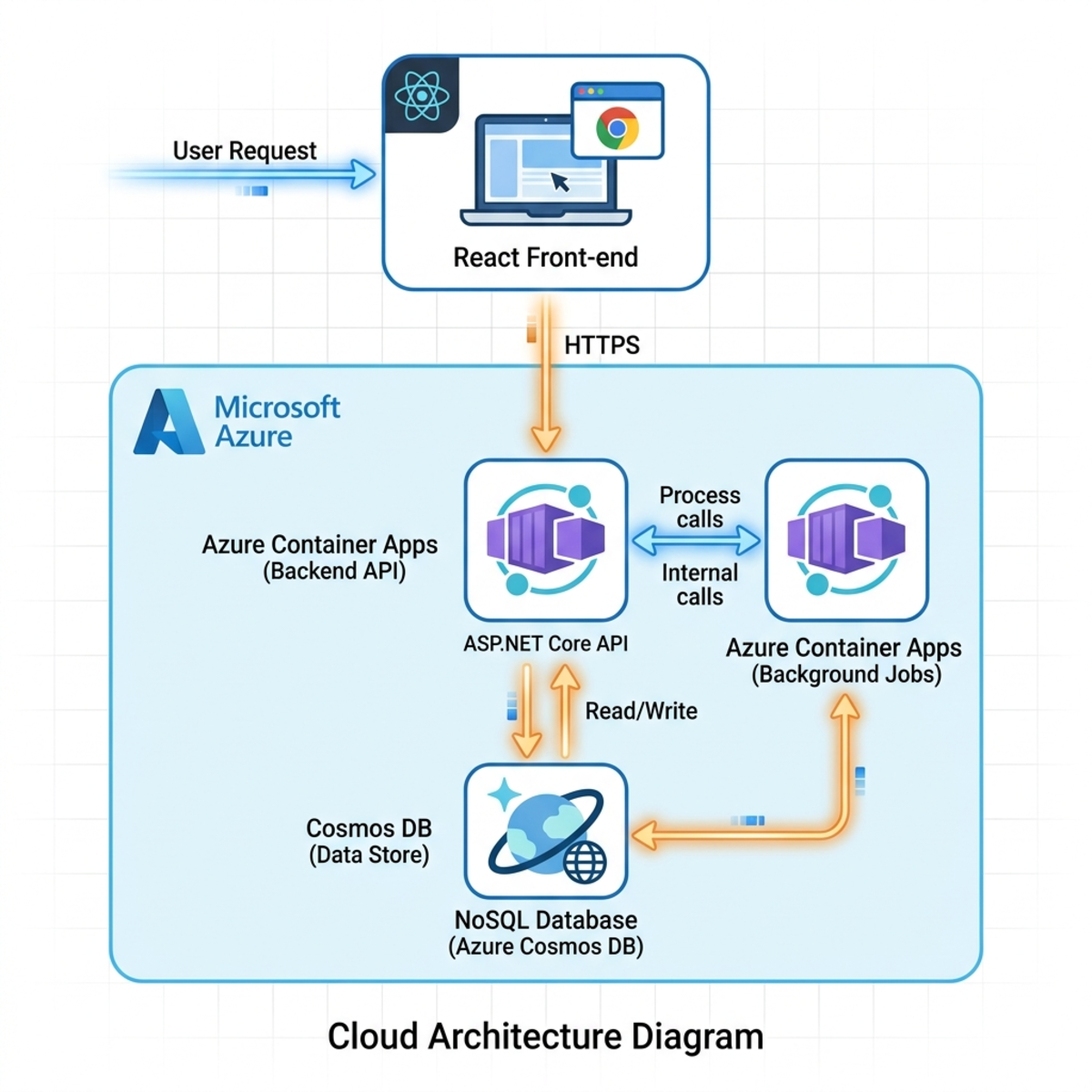
- Infrastructure: Azure Developer CLI (
azd) and Bicep handle provisioning. Services are hosted on Azure Container Apps (encompassing a React front-end, an ASP.NET Core backend, and an isolated MCP server). Cosmos DB handles persistent memory, while Application Insights tracks telemetry. - Local Development: .NET 10 is used alongside .NET Aspire. Aspire is critical here, allowing developers to spin up the entire distributed application—and view all OpenTelemetry logs and traces in a unified dashboard—with a single
aspire runcommand.
3. Mastering Context Management vs. Skills
One of the biggest challenges in agent engineering is balancing the model’s context window. Throwing all enterprise data into the system prompt is expensive and inefficient. The framework offers two distinct patterns to solve this:
The Context Provider (Up-Front Injection)
For data that is almost universally required for a specific session, developers can implement the AIContextProvider class.
provideAIContextAsync: Called before the model reasons. It injects specific guidelines or localized data (e.g., a short list of internal system states).storeAIContextAsync: Called after the model generates a response, useful for logging or updating downstream databases.
Skills (On-Demand Loading)
When dealing with vast domain knowledge (e.g., visa requirements, massive HR policies), use the experimental AgentSkillProvider.
Instead of loading text directly into the prompt, Skills are stored as Markdown files with YAML frontmatter. The LLM is only fed the YAML metadata (Name, Description). During the Agent Loop, if the model realizes it needs to answer a visa question, it dynamically executes a tool call to read the associated markdown file and any linked resources. This drastically reduces token usage.
4. External Integration with the Model Context Protocol (MCP)
To connect agents to external APIs without writing endless custom integration glue, the framework embraces the open Model Context Protocol (MCP) standard.
In a .NET environment, the agent sets up an HTTP client (passing necessary API keys via headers) to connect to an MCP server. It queries the server for available tools (e.g., SearchFlights, BookFlights) and registers them.
Implementing Guardrails:
For sensitive actions like booking a flight or mutating a database, the framework provides an ApprovalRequired helper function. You simply wrap the MCP tool call in this function. When the model attempts to execute the tool, the backend pauses execution and emits an approval request.
5. Front-End Magic: AGUI & Human-in-the-Loop
In traditional web apps, the UI dictates the backend calls. In agentic applications, the Agent drives the UI.
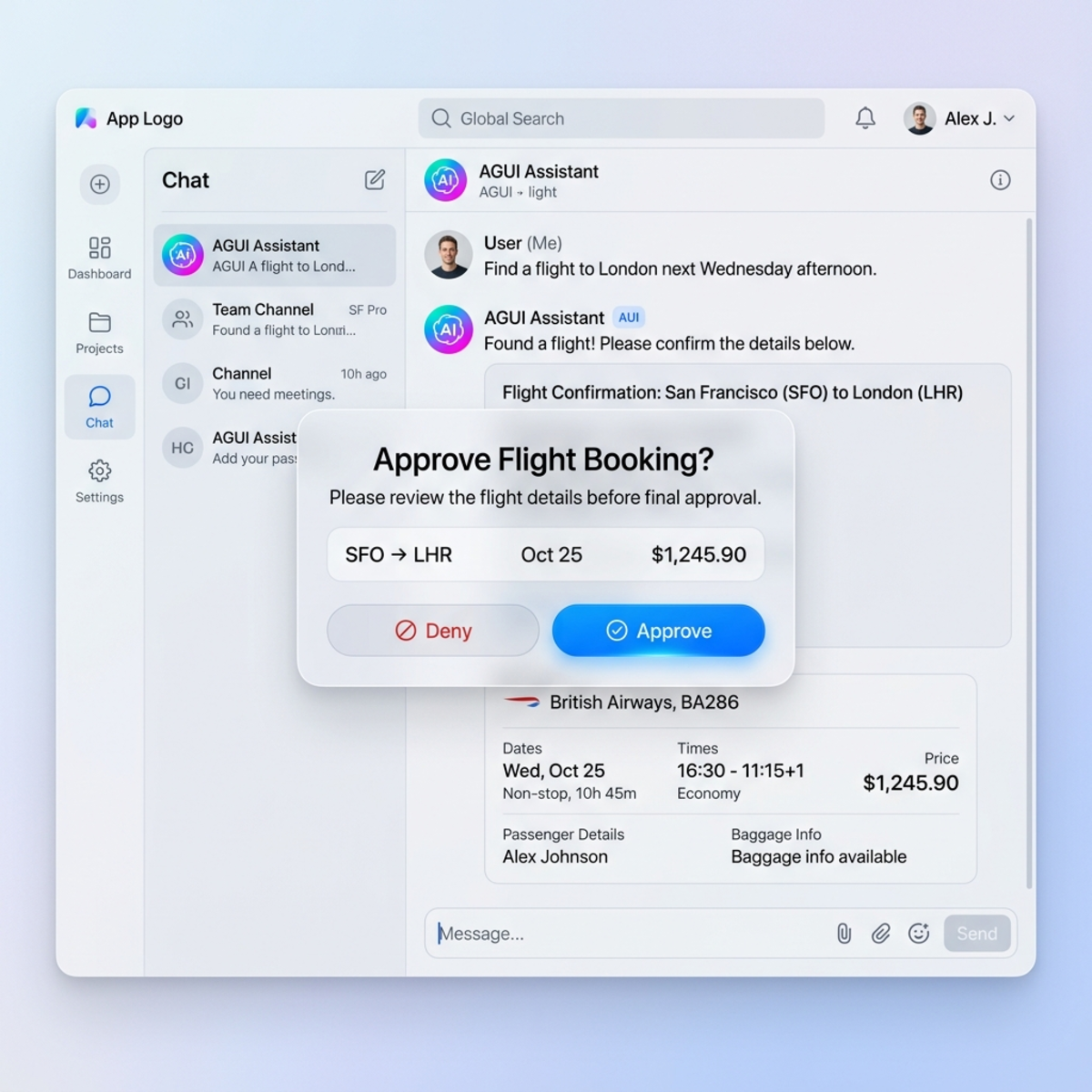
Microsoft Agent Framework utilizes the AGUI (Agent User Interaction) protocol. Using the mapAGUI helper method, the agent is exposed to the front end (which, in this architecture, leverages React and Copilot Kit).
This bidirectional communication allows the backend agent to stream UI updates. If the agent finds flights, it doesn’t just return markdown text; it triggers a React component to render a rich flight card. If the agent hits the ApprovalRequired block mentioned above, it pushes an event to the frontend, rendering a dynamic “Approve/Deny” popup for the user. Once the user clicks, the frontend sends the response back to the agent loop to continue execution.
6. Implementing Long-Term Memory
Short-term memory lives and dies with the chat session. To create highly personalized assistants, developers must implement long-term memory.
Using Cosmos DB, developers can create a custom UserProfileMemoryProvider. To ensure data isolation, partition keys should combine userId, agentId, and applicationId.
A powerful trick here is forcing the LLM to output structured data. By providing a strongly-typed class (e.g., UserProfileMemory { Budget: int, TravelStyle: string }), the backend can cleanly extract and persist user preferences without fragile string parsing.
7. Scaling Up: Multi-Agent Workflows
A single agent handling flight searches, trip planning, and memory persistence will eventually degrade in reasoning quality. The framework encourages the Single Responsibility Principle through Workflows.
Instead of a monolithic agent, you can define a WorkflowBuilder utilizing various routing patterns (Sequential, Parallel, Group Chat, or Handoff).
The Handoff Pattern:
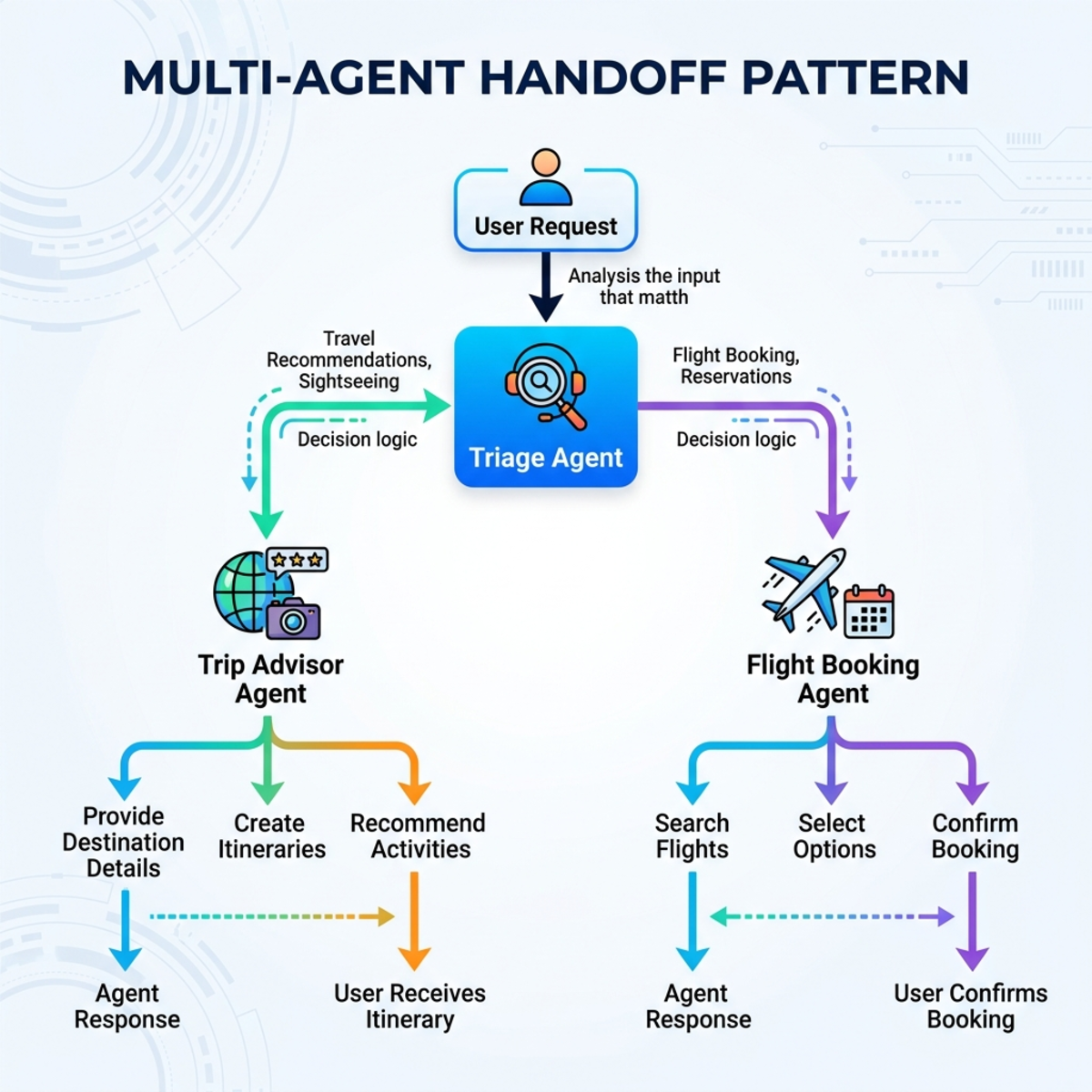
- Triage Agent: Acts as the entry point and router. It evaluates the user’s intent.
- Specialized Agents: It hands off the context to either the Trip Advisor Agent (armed with the memory provider and skills) or the Flight Booking Agent (armed with MCP tools).
Crucially, this complex, multi-agent workflow can be wrapped and published as a single OpenAI-compatible endpoint. Any standard client communicating via the OpenAI spec can interact with your complex backend without needing a single line of client-side code change.
Read next